
Colota – Open‑Source GPS Location Tracker
Overview
• Colota is a privacy‑focused, open‑source Android application that records your device’s GPS position and forwards the data to a server you control via plain HTTP or HTTPS.
• Because the app never embeds third‑party analytics or telemetry, all location information stays under your sole authority.
Self‑Hosted Compatibility
• Works seamlessly with existing back‑ends such as Dawarich, GeoPulse, OwnTracks, PhoneTrack, Reitti, Traccar, Home Assistant, or any custom service that accepts JSON over HTTP.
• No proprietary cloud services are required.
Privacy First
• No analytics, no telemetry, no external SDKs.
• Distributed under the AGPL‑3.0 license, guaranteeing that the source remains freely available and modifiable.
Tracking Profiles
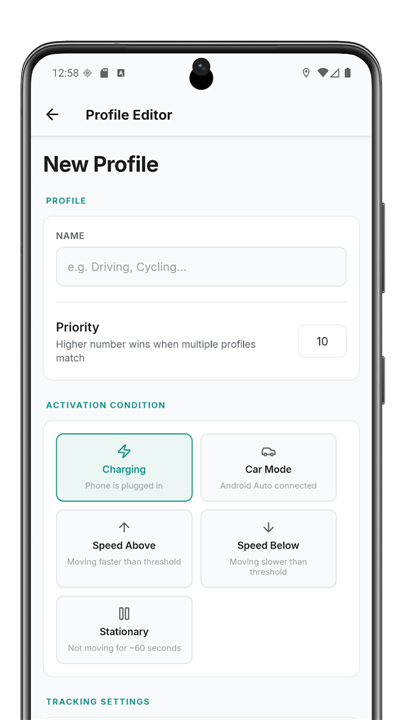
• Define multiple GPS configurations (e.g., high‑accuracy while charging, low‑power while stationary).
• Profiles switch automatically based on charging state, Android Auto connection, detected speed, or motionlessness.
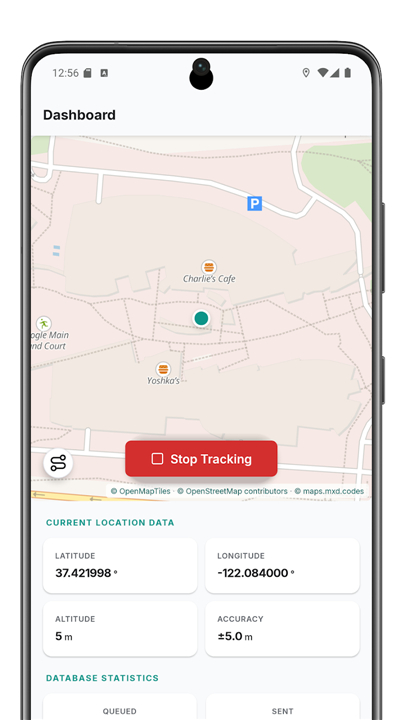
Native Maps
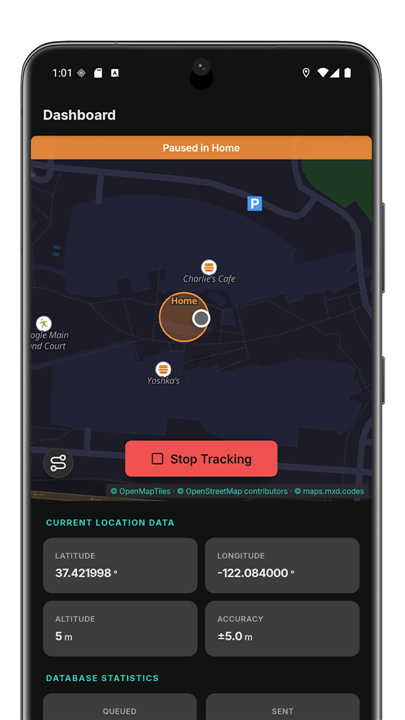
• Rendered with MapLibre GL for smooth, hardware‑accelerated display.
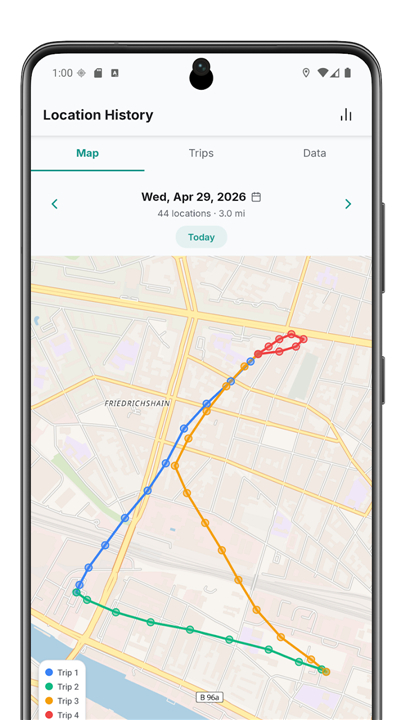
• Tracks are color‑coded by speed; tap any point for detailed information.
• Offline map packs can be downloaded and used without Internet.
Location Inspector
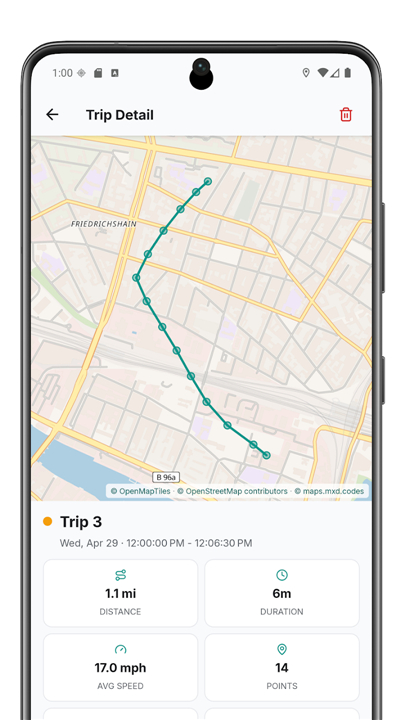
• Browse recorded trips on an interactive map.
• Each point shows timestamp, accuracy, altitude, and can be exported as CSV, GeoJSON, GPX, or KML.
• Elevation charts and summary statistics are generated automatically.
Offline Operation
• Locations are stored locally in a queue when connectivity is absent and synchronized once a network is available.
Reliable Tracking
• Runs as a foreground service with auto‑restart after reboot.
• Includes a passive location listener and exponential back‑off for failed uploads.
Geofencing
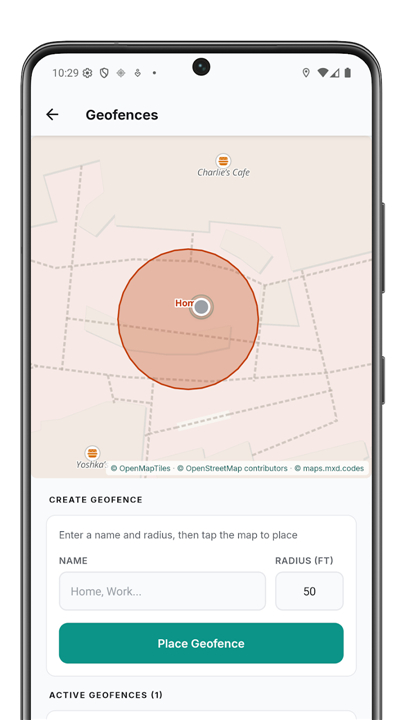
• Create “pause zones” that stop tracking based on Wi‑Fi presence, motion detection, entry delay, or custom notifications.
Flexible Sync
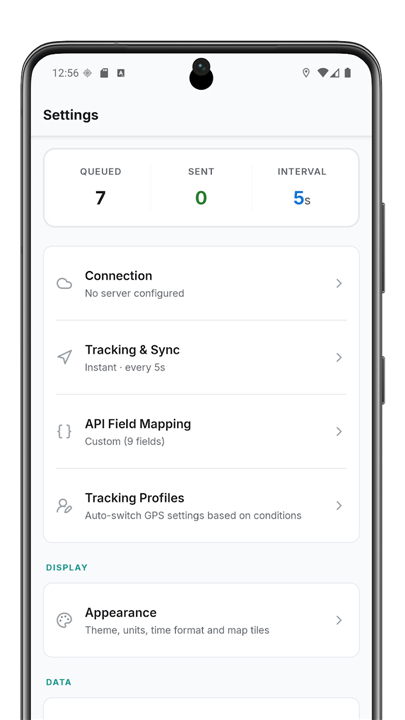
• Options for instant send, periodic batch sync, Wi‑Fi‑only transmission, or fully offline mode.
Auto‑Export
• Schedule automatic background exports on daily, weekly, or monthly intervals.
Authentication
• Supports Basic Auth, Bearer tokens, or arbitrary custom headers; payloads can be encrypted with AES‑256‑GCM.
Quick Setup
• Devices can be configured instantly via colota:// deep links, QR codes, or home‑screen shortcuts.
Configurability
• Adjustable field mapping, update intervals, distance filters, accuracy thresholds, unit system, and time format.
Data Management
• Built‑in database statistics, scheduled data cleanup, and full export capabilities.
User Interface
• Full dark‑mode and light‑mode themes, respecting system preferences.
The FOSS variant relies solely on Android’s native LocationManager, eliminating any dependency on Google Play Services.
FAQ
Q: Which back-end services can I use to store and view my location data?
A: The app is built for seamless compatibility with many popular self-hosted platforms including Dawarich, GeoPulse, OwnTracks, PhoneTrack, Reitti, Traccar, and Home Assistant. Because it uses standard JSON over HTTP or HTTPS, you can even point it toward a custom web service you have built yourself if you prefer a fully bespoke solution.
Q: Does Colota share any of my data with third-party analytics companies?
A: No, Colota is built with a strict privacy-first philosophy, meaning it includes absolutely no third-party SDKs, analytics, or telemetry gathering. It is distributed under the AGPL-3.0 license, which guarantees that the source code remains open for public inspection and that your data only goes where you explicitly tell it to go.
Q: How do tracking profiles help me manage my device's battery life?
A: Tracking profiles allow you to define specific GPS behaviors for different situations, such as high-accuracy tracking when your phone is charging or low-power polling when you are stationary. The app can switch between these profiles automatically based on triggers like your current movement speed, motion detection, or even an active Android Auto connection.
Version History
v1.13.0——17 Aug 2026
Self-hosted GPS tracking with offline support, geofencing and native maps Download the latest version of Colota - GPS Location Tracker to enjoy new features and updates immediately!
*1.13.0
- The Stationary profile now records a point at each interval while the device is still
- Auto-export file names are now customisable with {date}, {time} and {device} placeholders
- Add {device} to the file name to keep retention per device model when several phones share an export folder
- Stationary heartbeat points no longer show up as 0 m trips in the history
- Delete a single point by tapping it on the map and using the trash icon in its popup
*1.12.1
- FOSS variant: faster and more accurate fixes on Android 12+ via the platform fused location provider, with GPS fallback on older versions
*1.11.0
- Add notes to individual points. Tap a point on the map in Location History or a trip to annotate it.
- Exports now include bearing and battery status for every point, in all formats.
- Tracking now auto-resumes when you connect a charger after a low-battery stop.
- Tracking profiles support an activation delay.
- AppSize18.80M
- System Requirements5.0 and up
- Is there a feeFree(In game purchase items)
- AppLanguage English
- Package Namecom.Colota
- MD5
- Publishermxd.codes
- Content RatingTeenDiverse Content Discretion Advised
- Privilege19
-
Colota - GPS Location Tracker 1.13.0Install
18.80M2026-10-02Updated










8.9
2903 Human Evaluation
- 5 Star
- 4 Star
- 3 Star
- 2 Star
- 1 Star




