

Cleartray — GTD Inbox & Tasks
Master Your Workflow, On Your Terms
• Cleartray turns your phone into a sanctuary for productivity.
• Strictly following the Getting Things Done (GTD) methodology, it provides a seamless, distraction-free environment for your tasks.
• We believe your data belongs to you—no accounts, no cloud, and no ads.
• Just pure, on-device focus.
Capture: Never Lose a Thought
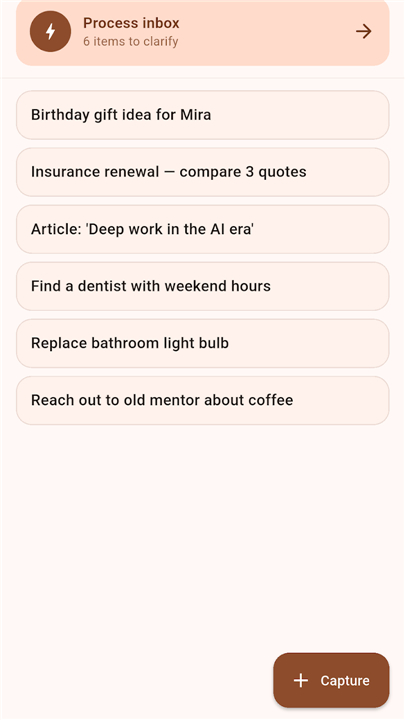
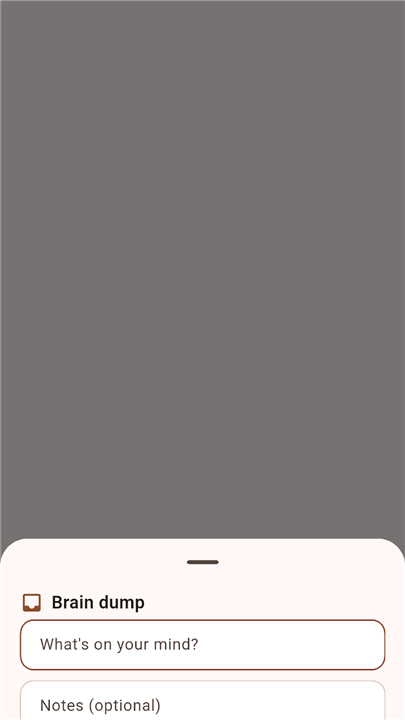
Capture your ideas the moment they strike.
• Use the persistent floating button for one-tap entry from any screen.
• Share content directly from other apps into your inbox.
• Utilize voice-to-text for hands-free capture.
• Place a home-screen widget for instant input.
Clarify: The Path to Zero
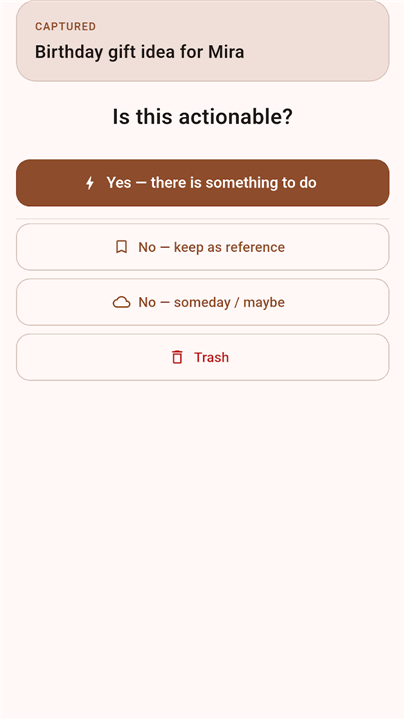
• Transform chaos into clarity with our card-based processing flow.
• Each item is guided through the GTD decision tree, helping you decide whether to delegate, defer, delete, or define the next action.
• Achieving Inbox Zero has never felt this effortless.
Organize: Structure Your Reality
Maintain complete control over your commitments with dedicated categories.
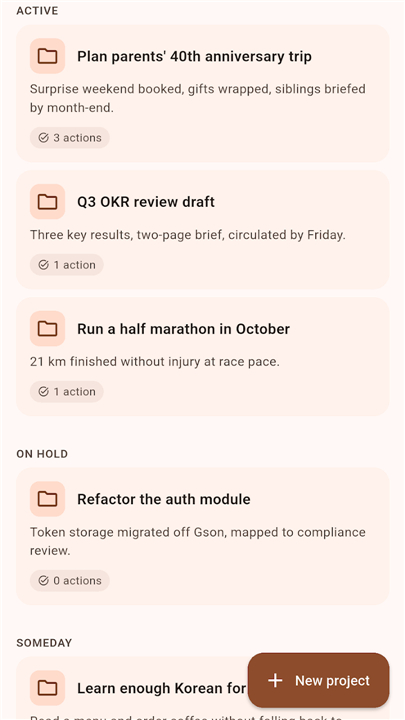
• Manage your projects with specific status tracking, from Active to On Hold.
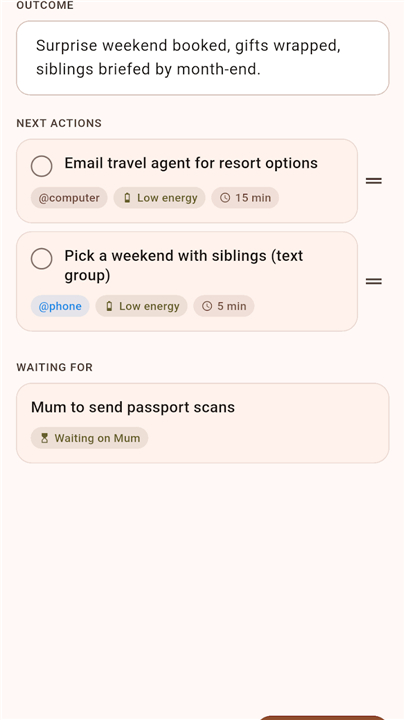
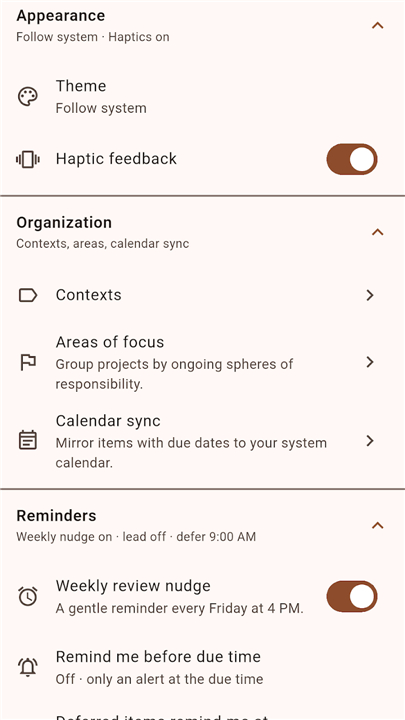
• Utilize refined contexts and Areas of Responsibility to keep your lists relevant.
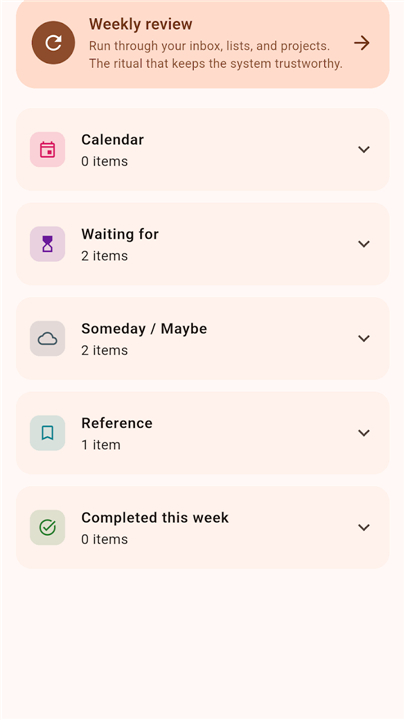
• Access built-in support for Inbox, Next Actions, Waiting For, and Someday/Maybe lists.
Reflect: The Weekly Ritual
• Our guided Review Wizard ensures you stay on track.
• Spend a few minutes each week to clear your inbox, audit your projects, and set your intentions for the days ahead.
• Daily and weekly review cycles keep your system reliable and your mind clear.
Engage: Focus on What Matters
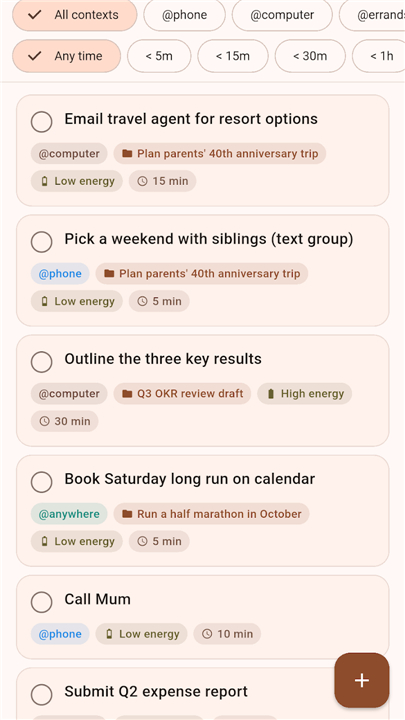
• When it is time to work, Cleartray filters your next actions based on your current capacity.
• Sort tasks by context, energy level, or available time so you can match the work to the moment.
Privacy by Design
Your life is not a commodity. Cleartray keeps everything local.
• No accounts, no data mining, and no external servers.
• Your information is stored locally in an SQLite database.
• Export your data as raw JSON whenever you choose.
• Crash reporting is entirely opt-in, keeping your usage private.
Built for the Discerning Practitioner
• Cleartray is crafted for those who value the GTD philosophy and demand total ownership of their personal data.
• It is a clean, accessible, and robust tool designed to disappear into the background so you can spend your energy on doing, not managing software.
Independent Development
• Cleartray is an independent project inspired by the Getting Things Done methodology.
• It is not affiliated with, endorsed by, or sponsored by the David Allen Company.
FAQ
Q: Where is my personal data stored within the app?
A: Your data is stored exclusively on your device within a secure, local SQLite database. Because we prioritize your privacy above all else, there are no accounts to create and absolutely no cloud syncing, which ensures that your information never leaves your physical control.
Q: Does Cleartray share my data with third parties or display advertisements?
A: Absolutely not. We believe your data is not a commodity, and we do not engage in data mining or share your information with anyone. Furthermore, we do not show advertisements, keeping your experience clean and focused.
Q: How can I capture tasks if I am already inside another app?
A: You can use the persistent floating button to capture thoughts from any screen on your device with just a single tap. Additionally, you can share content directly from other applications into your Cleartray inbox or use voice-to-text for hands-free entry when you are on the go.
Version History
v1.0.2——14 Jul 2026
A Getting Things Done inbox — capture, clarify, engage. On-device, no account. Download the latest version of Trayzero — GTD Inbox & Tasks to enjoy new features and updates immediately!
*1.0.2
First Trayzero release on APKPure. The full GTD inbox: Capture, Clarify, Organize, Reflect, Engage. Process Inbox decision-tree flow, Weekly Review wizard, projects with next-action warnings, @-contexts, Areas. Reminders with Done/Snooze/Move action buttons. Opt-in two-way calendar sync. Home-screen capture widget. 100% on-device, no account, JSON backup/restore.
- AppSize72.80M
- System Requirements5.0 and up
- Is there a feeFree(In game purchase items)
- AppLanguage English
- Package Nameapp.cleartray
- MD5
- Publisherroman10
- Content RatingTeenDiverse Content Discretion Advised
- Privilege19
-
Cleartray — GTD Inbox & Tasks 1.0.2Install
72.80M2026-10-28Updated










9.9
5678 Human Evaluation
- 5 Star
- 4 Star
- 3 Star
- 2 Star
- 1 Star




