BSPlayer
Unleash Your Content's Potential
• Elevate your Android viewing experience.
• BSPlayer transforms your smartphone or tablet into a powerful, cinematic hub, delivering unparalleled video and audio playback with effortless grace.
• Discover a world where your media comes to life, powered by cutting-edge technology and intelligent features.
Experience Unmatched Performance:
1. Hardware Accelerated Excellence:
• Enjoy silky-smooth video playback that's faster and significantly more battery-efficient, leveraging your device's full potential.
2. Multi-Core Decoding:
• Harness the power of your device's multi-core processor for superior playback speed and fluidity.
Seamless Versatility at Your Fingertips:
1. Comprehensive Media Support:
• Play virtually any video or MP3 file, directly from your device or network.
2. Dynamic Subtitle Handling:
• Effortlessly manage multiple audio streams and subtitles, with support for ssa/ass, srt, sub, txt, and automatic online searching for perfect synchronization.
3. Network Drive Integration:
• Stream videos and music directly over Wi-Fi from shared folders, NAS servers, or external USB drives (Samba, SMB/CIFS) – no more tedious file conversions or transfers!
4. RAR File Playback:
• Access media content directly from uncompressed RAR archives, saving you time and storage.
5. USB OTG Compatibility:
• Expand your media access with robust support for USB On-The-Go devices like Nexus Media Importer and USB Host Controller.
Thoughtful Features for Enhanced Enjoyment:
1. Background Playback:
• Keep your audio and video playing in a convenient popup window while you multitask.
2. Intuitive Playback Modes:
• Create and manage playlists with various playback options to suit your mood.
3. Child Lock:
• Prevent accidental interruptions with a secure screen lock, perfect for uninterrupted viewing.
Important Considerations:
1. CPU Optimization:
• This package supports ARMv7 with VFP and NEON.
• If your device requires a different CPU type, the application will intelligently guide you to the correct download.
2. Hardware Accelerator Note:
• The effectiveness of hardware acceleration can vary based on your device's video decoder capabilities.
• Specific device models (e.g., some HTC models in portrait mode, or Samsung Galaxy S2 with zoom/stretch) may exhibit unique behaviors due to hardware nuances.
Unlock More with BSPlayer Full:
• This ad-supported version provides a fantastic core experience.
• For an ad-free journey with additional premium functionalities, consider upgrading to the BSPlayer full version, available on Google Play.
Join Our Community:
• Your feedback is invaluable!
• Help us refine and enhance BSPlayer by reporting any issues with your smartphone brand and model, or by sending detailed bug reports to android@bsplayer.com.
• Contribute to translations and corrections at crowdin.net/project/bsplayer-android.
• For deeper discussions and support, visit our dedicated forum: http://forum.bsplayer.com/bsplayer-android/.
Note:
• This software utilizes FFmpeg code licensed under LGPLv2.1; source available on the BSPlayer website.
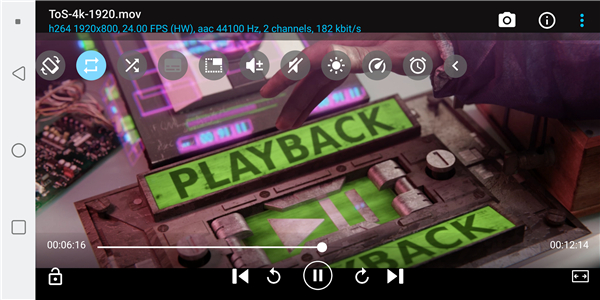
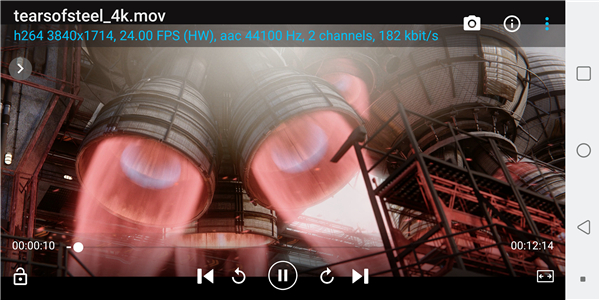
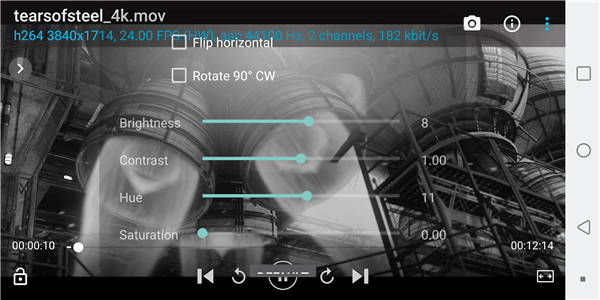
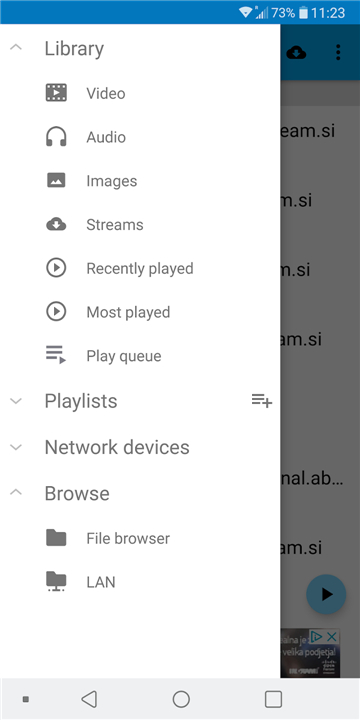
• Screenshots feature content from Sintel and Tears of Steel, © Blender Foundation, under Creative Commons license.
FAQ
Q: How does hardware acceleration improve my viewing experience?
A: When the app detects a compatible video decoder in your device, it offloads the heavy lifting to the dedicated hardware block. The result is buttery‑smooth playback, especially for demanding formats such as 1080p / 4K, and a noticeable reduction in CPU heat and battery drain. If your phone’s decoder isn’t fully supported, BSPlayer gracefully falls back to software decoding so you never get stuck.
Q: My device has an ARMv7 CPU with NEON – will BSPlayer run efficiently?
A: Yes. The current package is optimized for ARMv7 with VFP and NEON extensions. When you install the app, it checks the processor type and, if a mismatch is found, it prompts you to download the appropriate build. This ensures you always get the version that matches your hardware.
Q: Can I watch movies stored on a NAS or a shared Windows folder?
A: Absolutely. BSPlayer speaks the Samba/SMB /CIFS protocol, so you can browse and stream files directly from network‑attached storage, a Windows share, or any other SMB‑compatible server. All you need is a Wi‑Fi connection; no intermediate conversion or copying to the device is required.
Version History
v3.25.254-20260401——20 May 2026
Best media experience for you, give it a try - you won't regret it! Download the latest version of BSPlayer to enjoy new features and updates immediately!
*3.25.254-20260401
- better support for external/OTG storage
- improved m3u parsing
- stability improvements and bug fixes
*3.25.254-20260209
- better support for external/OTG storage
- improved m3u parsing
- stability improvements and bug fixes
*3.24.253-20251027
- better support for external/OTG storage
- improved m3u parsing
- stability improvements and bug fixes
- AppSize13.42M
- System Requirements5.0 and up
- Is there a feeFree(In game purchase items)
- AppLanguage English
- Package Namecom.bsplayer.bspandroid.free
- MD5
- PublisherITSOL Media
- Content RatingTeenDiverse Content Discretion Advised
- Privilege19
-
BSPlayer 3.25.254-20260401Install
13.42M2026-09-13Updated










8.5
2103 Human Evaluation
- 5 Star
- 4 Star
- 3 Star
- 2 Star
- 1 Star