Bluetooth Remote
Transform Your Smartphone into a Full‑Featured TV Controller
• Turn any Android smartphone into a powerful Bluetooth remote that lets you browse menus, type, and interact with your Android TV without the need for a separate hardware remote or additional apps on the TV itself.
Overview
• The app establishes a standard Bluetooth HID (Human Interface Device) connection, making the phone appear as a genuine remote, mouse, and keyboard to the TV.
• All interaction happens locally; no internet connection or cloud services are required.
• Designed for a seamless, lag‑free experience, the UI adapts to both phones and tablets, offering a comfortable layout for one‑hand or two‑hand operation.
Core Features
• Wireless Bluetooth control – instant pairing with any Android TV that supports Bluetooth HID.
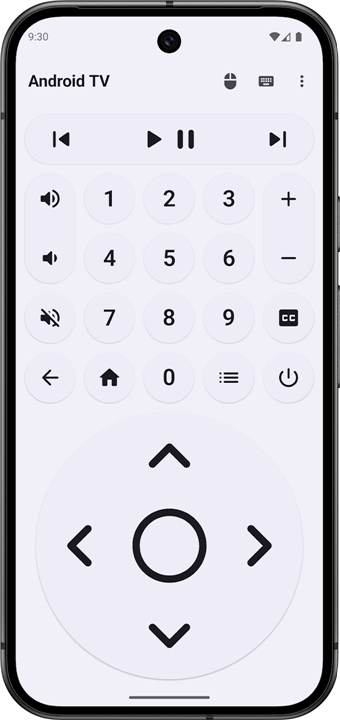
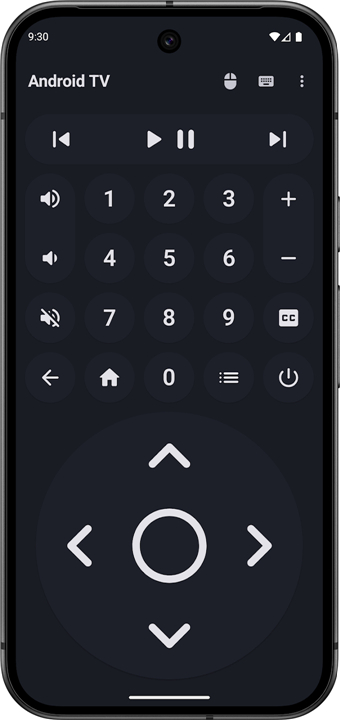
• Complete remote‑control layout – directional pad, OK/Enter, Home, Back, volume, channel, power, and dedicated app‑launch buttons.
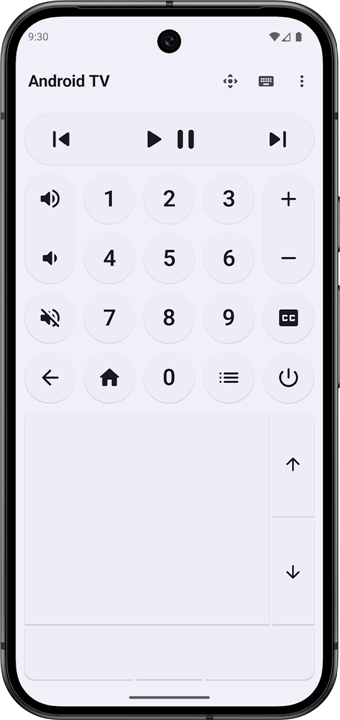
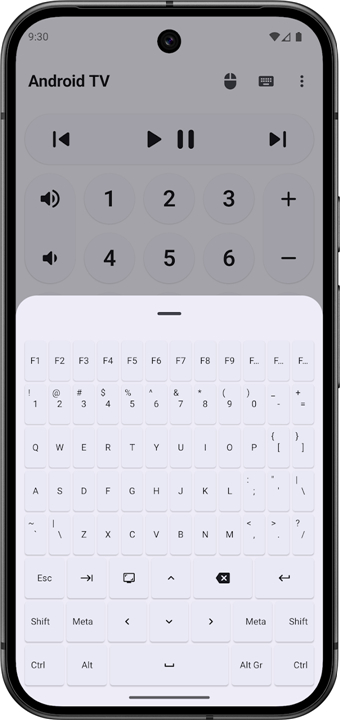
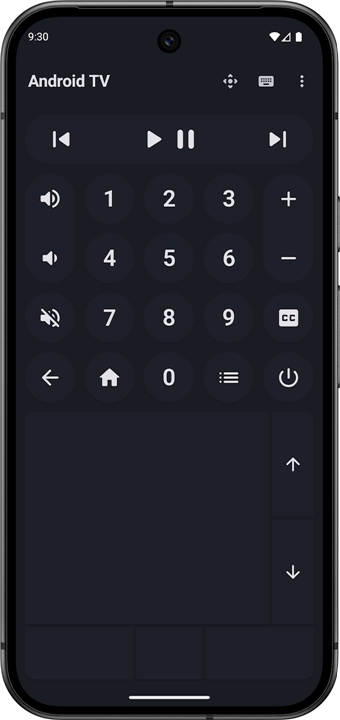
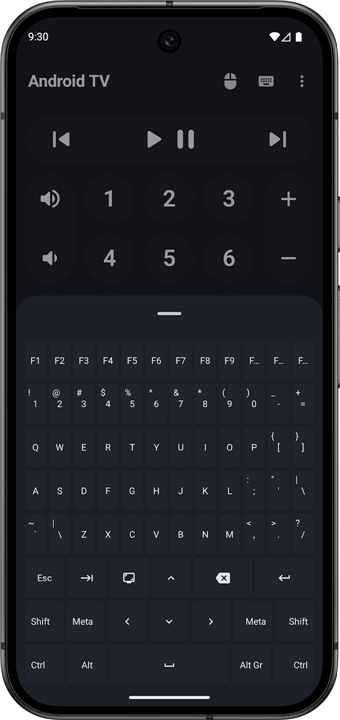
• Integrated mouse & keyboard – precise pointer movement, scroll gestures, and a full‑screen soft keyboard for text entry.
• Zero‑install TV side – the TV does not require any companion app because the connection uses the standard HID profile.
• Modern UI built with Jetpack Compose – clean, responsive design that follows Material 3 guidelines, supporting dark mode and adaptive scaling.
• Kotlin‑first implementation – leverages coroutines and modern Android APIs for stability and performance.
Privacy & Security
• No internet permission – the app never communicates with external servers.
• No data collection – user interactions remain on the device; analytics are disabled.
• Ad‑free – the experience is completely free of advertisements.
Open‑Source & Community
• The entire codebase is released under an open‑source licence, encouraging contributions and transparency.
• Repository: https://gitlab.com/Atharok/BtRemote
Getting Started
1. Install the app from the Play Store or side‑load the APK.
2. Open the app; it will automatically scan for nearby Bluetooth HID‑compatible Android TVs.
3. Select your TV, pair, and the remote UI appears instantly.
4. Use the on‑screen controls, mouse, or keyboard as needed; the TV responds just like a physical remote.
With Bluetooth Remote, your smartphone becomes a versatile, privacy‑respecting controller for any Android TV in a matter of seconds.
FAQ
Q: Does the Bluetooth Remote require an internet connection or Wi-Fi network?
A: The app operates entirely offline and does not require an internet connection or a shared local Wi-Fi network. All communication happens locally over a direct Bluetooth link between your Android phone and your television, meaning you can use it even without active network services.
Q: Can I type text on my TV using my phone's keyboard?
A: Yes, the app features an integrated full-screen soft keyboard that allows you to type effortlessly on your smartphone. Whenever you need to search for movies, enter passwords, or fill out forms on your TV, your input is sent directly through the phone's touch keyboard.
Q: Does the app include mouse and touchpad functionality for browsing?
A: It includes built-in mouse pointer control and intuitive scroll gestures. You can easily glide your finger across your phone screen to control an on-screen mouse pointer on your TV, making it much easier to browse web pages or click precise UI elements.
Version History
v1.13.0——25 Aug 2026
Bluetooth remote control for Android TV. Download the latest version of Bluetooth Remote to enjoy new features and updates immediately!
*1.13.0
Minor bug fixes and improvements. Install or update to the newest version to check it out!
*1.12.1
Minor bug fixes and improvements. Install or update to the newest version to check it out!
*1.12.0
Minor bug fixes and improvements. Install or update to the newest version to check it out!
- AppSize4.73M
- System Requirements5.0 and up
- Is there a feeFree(In game purchase items)
- AppLanguage English
- Package Namecom.atharok.btremote
- MD5
- PublisherAtharok
- Content RatingTeenDiverse Content Discretion Advised
- Privilege19
-
Bluetooth Remote 1.13.0Install
4.73M2026-10-12Updated










8.0
6693 Human Evaluation
- 5 Star
- 4 Star
- 3 Star
- 2 Star
- 1 Star