

Be nice
Overview
• "Be nice" is an advanced Android home screen launcher built entirely with Jetpack Compose and Material 3 Expressive UI.
• Originally created to resolve split-screen forced rotation issues on tablets and foldables, it has evolved into a fluid, highly customizable launcher suitable for any Android device.
Multitasking and Display Adaptation
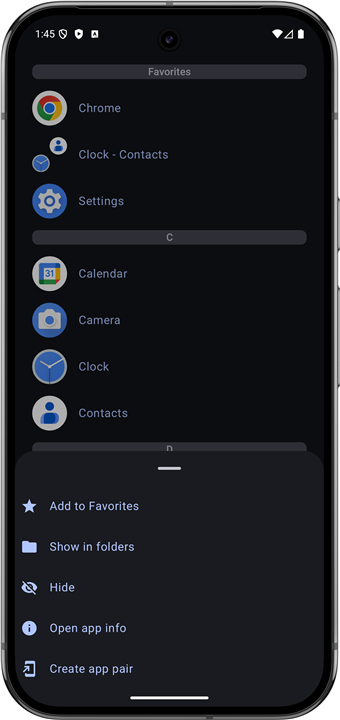
• Split-screen app pairs: Create custom app pairs to launch two applications side-by-side, boosting multitasking while preventing screen rotation issues.
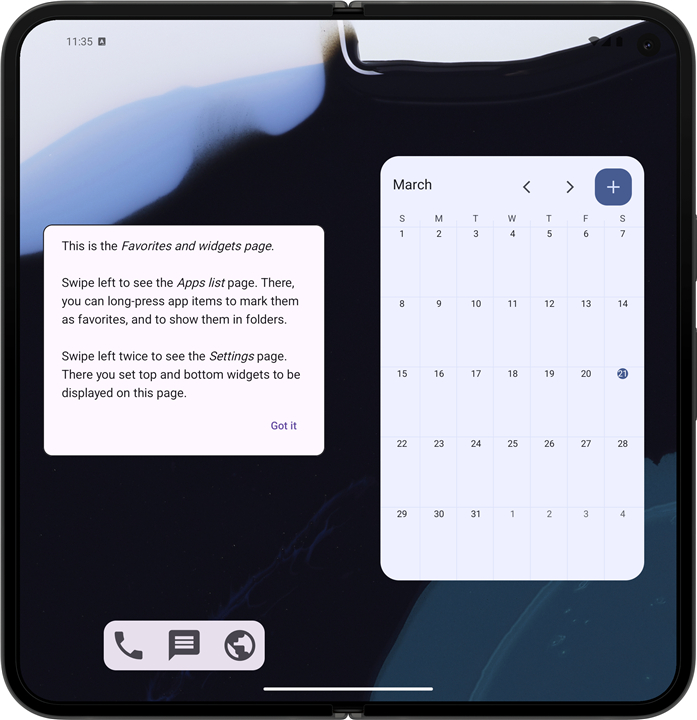
• Adaptive large-screen layout: Displays a dynamic dual-pane layout on foldables and tablets, utilizing the right pane for extra widgets.
• Fast gestures: Swipe down on the main interface to instantly launch a default app set in your preferences.
App Organization and Customization
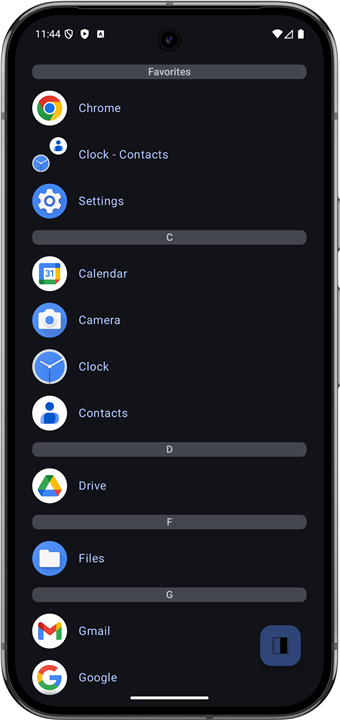
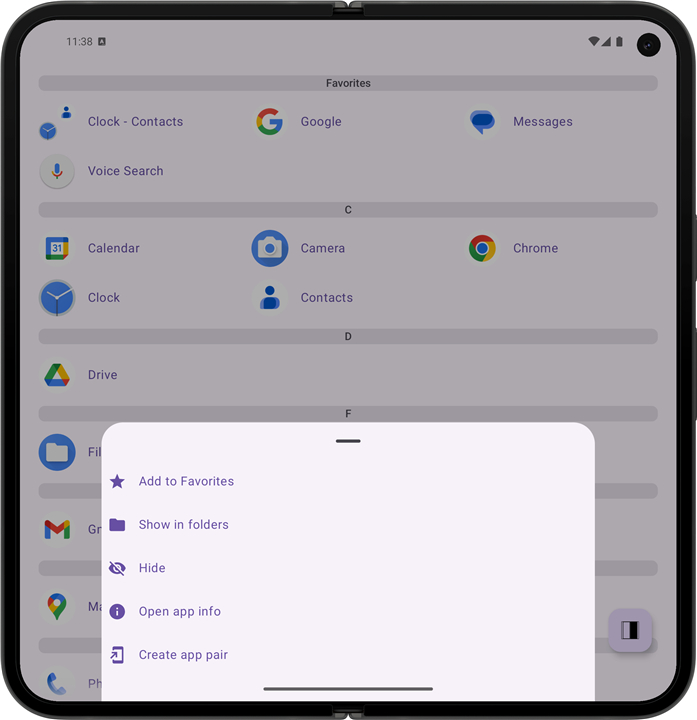
• Folder management: Group related applications into custom folders for faster navigation and reduced desktop clutter.
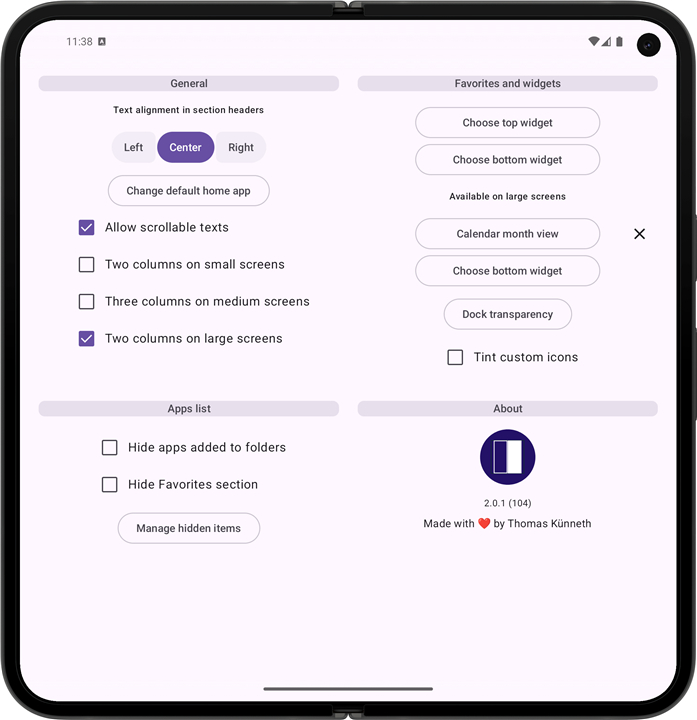
• Hidden items: Hide sensitive or rarely used apps into a separate, secure folder configurable from settings.
• Deep personalization: Combine multi-launcher app entries into a single entry, apply custom display labels, and favorite specific sub-activities independently.
Widget Integration
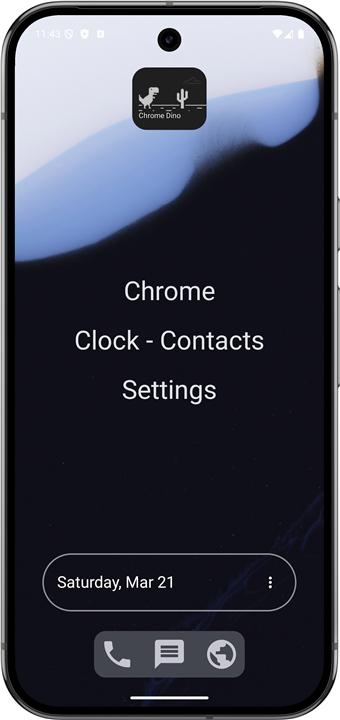
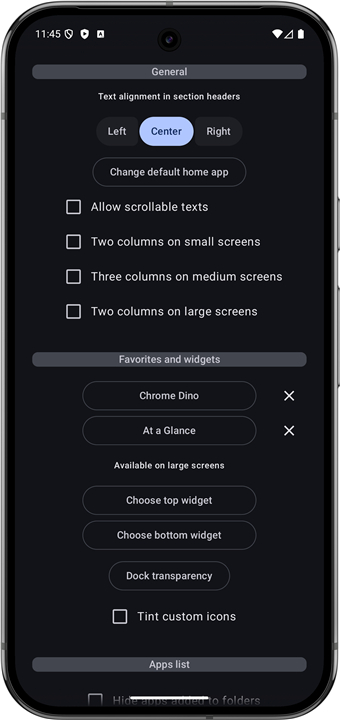
• Dashboard widgets: Add up to two essential widgets to your main screen for immediate access to dynamic information.
• Simple management: Long-press any designated widget slot to select, swap out, or remove widgets.
• Expanded pages: Access secondary dedicated widget pages on smartphone screens for additional information layout.
Flexible Dock Controls
• Customizable slots: Pin critical utilities like dialers, messaging tools, or browsers for instant single-tap access.
• Contextual shortcuts: Long-press any dock slot to modify assigned shortcuts, reset the slot, or access underlying application settings.
FAQ
Q: How does the launcher handle split‑screen multitasking on large devices?
A: When you enable the split‑screen feature, “Be nice” lets you create custom app pairs that launch two applications side‑by‑side with a single tap. The launcher remembers the orientation you prefer, so the screen stays stable even on foldables that normally force rotation. This means you can work on a document while chatting, watch a video while browsing, or run any two apps together without the annoying flip‑flop of traditional launchers.
Q: What is the adaptive large‑screen layout and when does it appear?
A: On tablets and foldable phones, the launcher automatically switches to a dual‑pane layout. The left pane shows your app grid or folder view, while the right pane is reserved for extra widgets, quick‑access shortcuts, or contextual information. The layout expands or contracts based on the screen’s real‑estate, ensuring you always have the most useful controls at hand without manually rearranging items.
Q: Can I launch a default app with a gesture, and how do I set it up?
A: Yes—swipe down anywhere on the main interface to open the default app you choose in settings. To configure it, open the Settings menu, tap “Gesture shortcuts,” select “Swipe‑down launch,” and then pick any installed app as your default. The gesture works on phones, tablets, and foldables, giving you an instant shortcut that feels natural.
Version History
v2.2.1——14 Sep 2026
Be nice is a lightweight Android launcher that opens apps directly in split screen mode. Download the latest version of Be nice to enjoy new features and updates immediately!
*2.2.1
- Fix overlapping Change/Remove dialog and page menu on widget long-press
- Lists inside app widgets now scroll; long-press and page swipe still work
- Hide section headers in the swipe-down app list, matching Settings
- Fix Hidden apps overflowing; tap an app to open it
- Fix a crash when widgets fail to start
*2.2.0
- Swipe down on Favorites and widgets pages to open an app you choose in Settings
- Fixed a rare crash when loading folders
- Library and tools upgrades
- UI refinements
- Fix some bottom sheets on smartphones in portrait mode
- Choose icons, labels, or both for the favorites list
- Fix favorites icon grid disappearing when two large widgets fill the screen
*2.1.13
- Group multi-launcher apps into one entry (configurable in settings)
- Tap grouped apps to pick which activity to launch; long-press for app info, uninstall, and favorites
- Favorite whole apps or individual activities independently
- Give any app a custom name from its long-press menu
- Widgets are removed when their app is uninstalled
- Release notes on update; read again in Settings > About
- Open source licenses no longer show a mismatched background
- AppSize5.20M
- System Requirements5.0 and up
- Is there a feeFree(In game purchase items)
- AppLanguage English
- Package Namede.thomaskuenneth.benice
- MD5
- PublisherThomas Künneth
- Content RatingTeenDiverse Content Discretion Advised
- Privilege19
-
Be nice 2.2.1Install
5.20M2026-10-29Updated










9.6
1783 Human Evaluation
- 5 Star
- 4 Star
- 3 Star
- 2 Star
- 1 Star




