

AVNC
Empowering Your Mobile Remote Experience
• Experience the freedom of total control with AVNC, a premier open-source VNC client crafted specifically for the Android ecosystem.
• This powerful tool transforms your mobile device into a sophisticated command center, granting you the ability to manage any computer or server from anywhere in the world.
• By bridging the gap between mobility and desktop power, AVNC ensures that your essential workstations are always within reach.
A Masterpiece of Design and Control
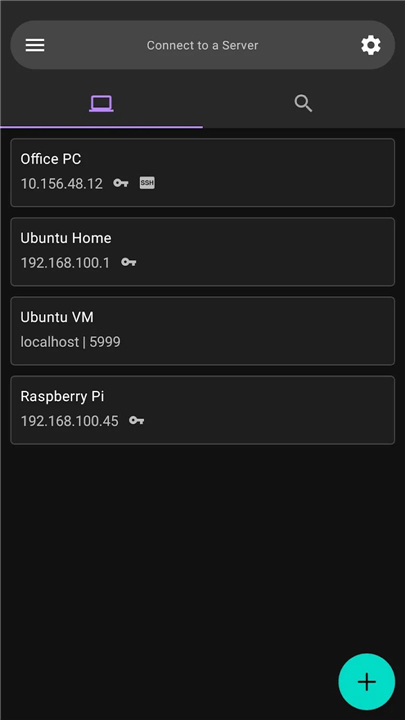
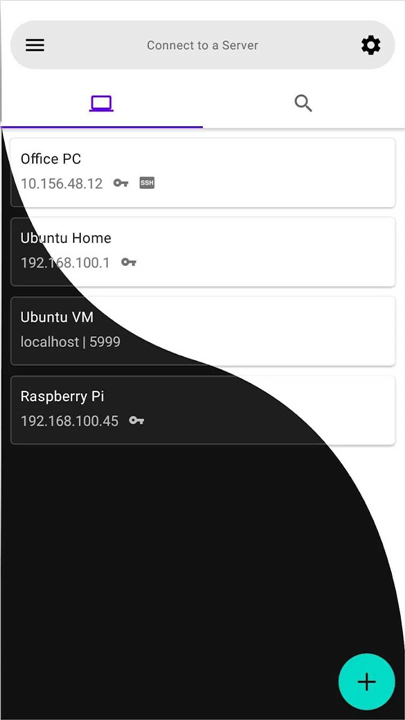
• Embrace a sleek, modern aesthetic with a Material Design interface that includes full Dark theme support for comfortable viewing in any environment.
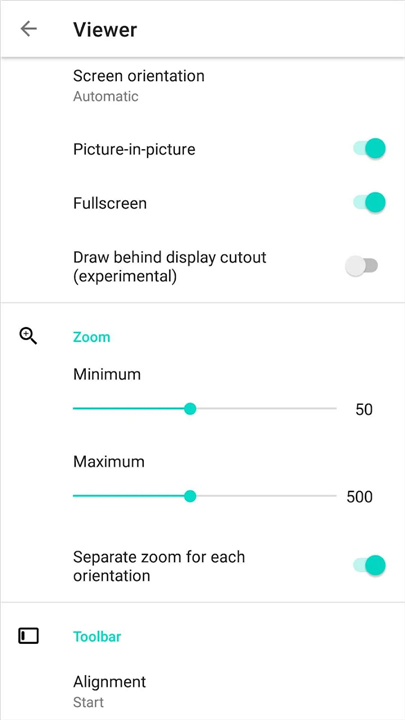
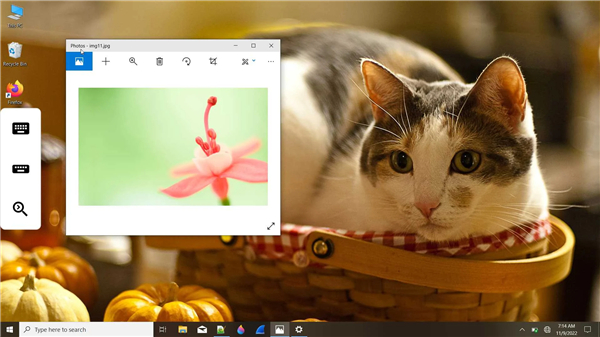
• Master your workflow with Picture-in-Picture mode, allowing you to monitor your remote systems while remaining productive in other applications.
• Tailor your interaction through specialized modes, including View-only for monitoring and No-video for low-bandwidth situations.
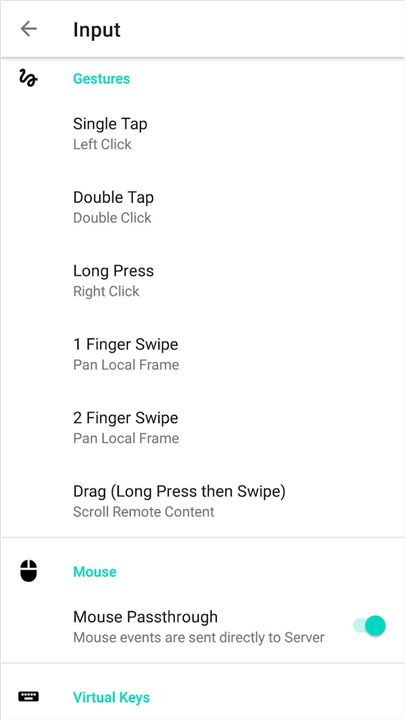
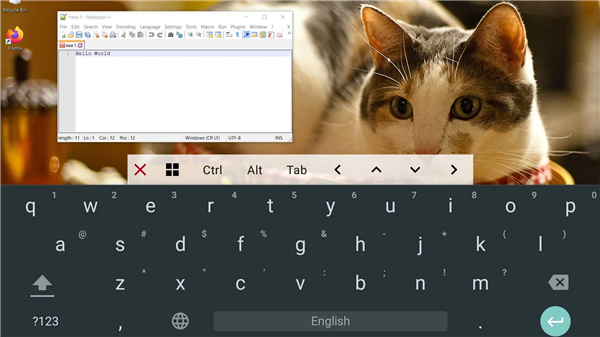
• Navigate with precision using customizable touch gestures and virtual keys designed to make remote desktop interaction feel natural and immediate.
Uncompromising Security and Privacy
• Protect your data with integrated SSH tunneling, creating a fortified path for your remote connections.
• Benefit from enterprise-grade cryptographic standards, including comprehensive support for TLS protocols such as AnonTLS and VeNCrypt.
• Rest easy knowing that your remote administration is shielded by robust, modern encryption layers.
Seamless and Intelligent Connectivity
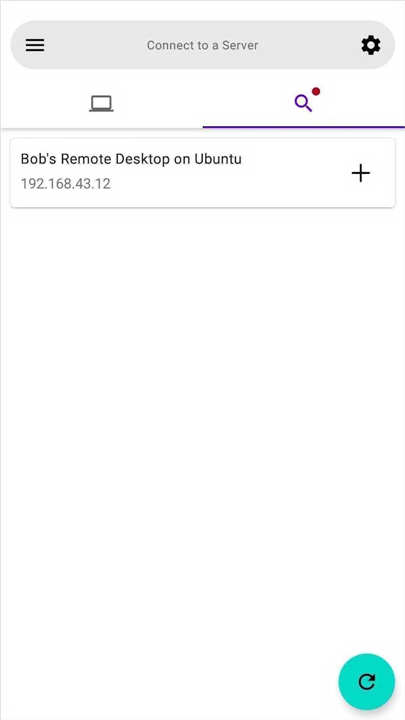
• Discover your digital landscape instantly with Zeroconf Server Discovery, which automatically identifies local network servers for you.
• Command your hardware from a distance using Wake-on-LAN support, allowing you to power on remote machines only when they are needed.
• Simplify your access through VNC Repeater compatibility and the ability to launch sessions directly via vnc:// URIs.
Optimized Performance and Synergy
• Experience fluid responsiveness with high-performance Tight encoding, engineered to maximize speed even on limited bandwidth.
• Maintain perfect synchronization with real-time, bidirectional clipboard sharing between your mobile device and the remote host.
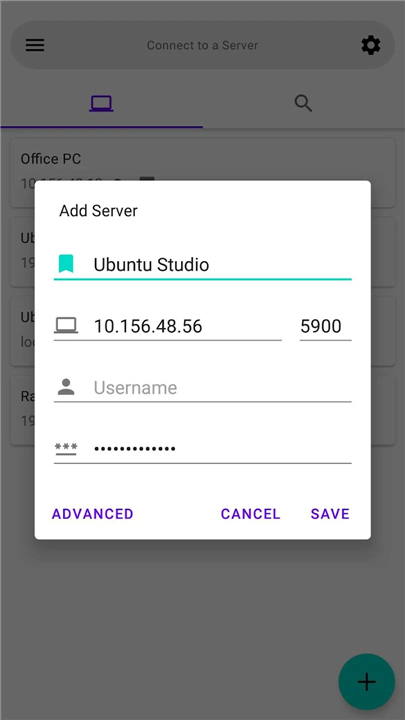
• Streamline your setup across multiple devices with convenient import and export functionality for all your server profiles.
The Power of Open Collaboration
• AVNC is more than just a tool; it is a community-driven project built on the principles of transparency and excellence.
• You can explore the inner workings, contribute to its evolution, or audit the security of the application by visiting the official source code on GitHub at https://github.com/gujjwal00/avnc.
FAQ
Q: How does AVNC optimize the mobile interface for touchscreen remote desktop control?
A: AVNC features a sleek Material Design interface with complete Dark theme support for comfortable viewing in any lighting environment. To make remote interaction feel natural and immediate on mobile devices, it includes customizable touch gestures and virtual keys tailored for precise navigation.
Q: Can I use other mobile applications while staying connected to my remote computer?
A: Yes, you can easily multitask thanks to AVNC's Picture-in-Picture mode. This handy feature allows you to keep an active, miniature view of your remote desktop session on your screen while working in other Android applications.
Q: Does AVNC offer special modes for different viewing or bandwidth requirements?
A: AVNC provides tailored operational modes to match your specific needs. You can activate View-only mode when you simply want to monitor a machine without sending accidental inputs, or switch to No-video mode to maintain control in low-bandwidth situations.
Version History
v3.3.1——11 Aug 2026
Fast & Secure VNC client for Android Download the latest version of AVNC to enjoy new features and updates immediately!
*3.3.1
Minor bug fixes and improvements. Install or update to the newest version to check it out!
*3.3.0
Minor bug fixes and improvements. Install or update to the newest version to check it out!
*3.2.2
Minor bug fixes and improvements. Install or update to the newest version to check it out!
- AppSize7.08M
- System Requirements5.0 and up
- Is there a feeFree(In game purchase items)
- AppLanguage English
- Package Namecom.gaurav.avnc
- MD5
- PublisherGaurav Ujjwal
- Content RatingTeenDiverse Content Discretion Advised
- Privilege19
-
AVNC 3.3.1Install
7.08M2026-09-30Updated










7.5
2685 Human Evaluation
- 5 Star
- 4 Star
- 3 Star
- 2 Star
- 1 Star




