

Arcticons - Line Icon Pack
Minimalist Line Icon Pack
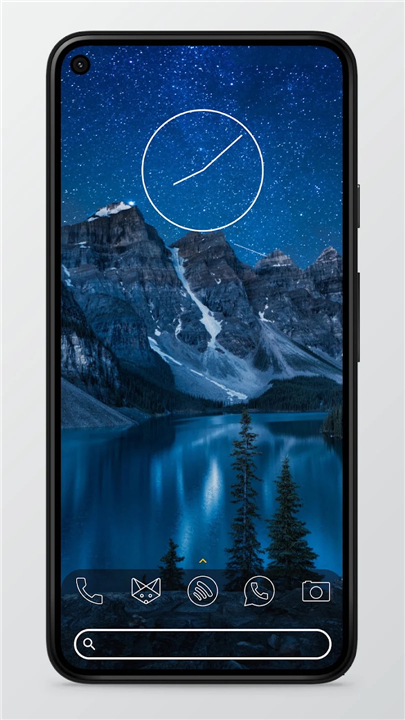
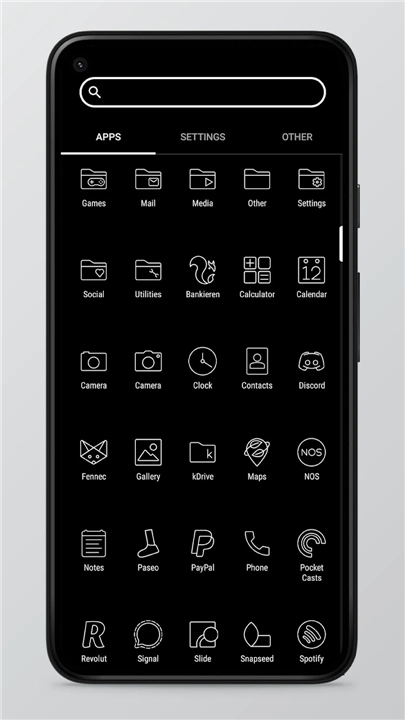
• Arcticons is a premium, line-based icon pack designed to provide a clean and sophisticated aesthetic for Android home screens.
• It emphasizes a minimalist design language that reduces visual clutter, allowing for a refined and uniform user experience.
Extensive Icon Library
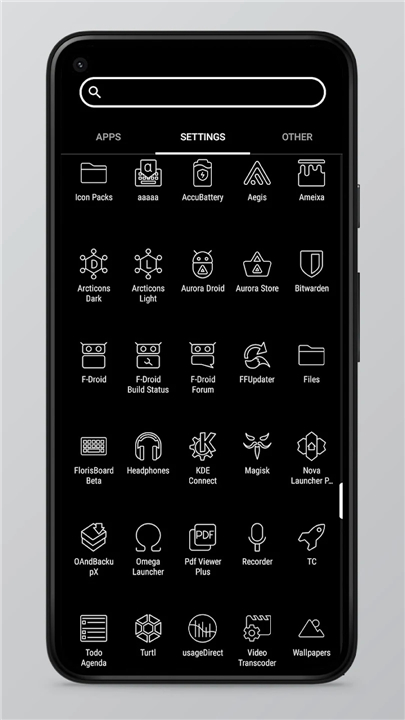
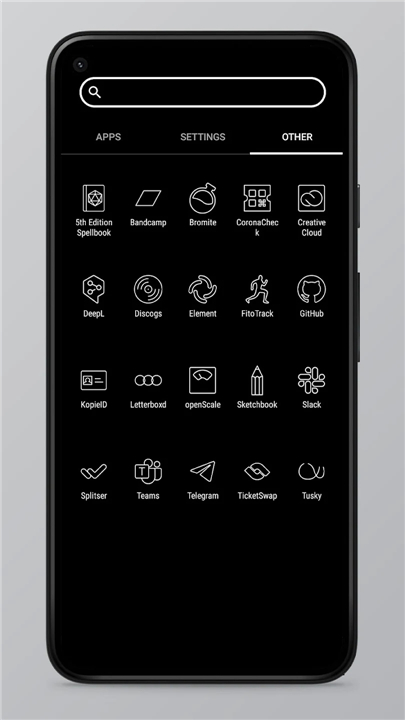
• Arcticons boasts over 14,000 individually handcrafted icons.
• It stands as one of the largest free and open-source icon collections currently available.
• The design language remains consistent across the entire library to ensure a professional look.
• The project is fueled by a global community of contributors who collaborate to expand the collection regularly.
Community Participation
• Users are invited to participate in the growth of the pack.
• If specific applications are missing icons, you may submit a request through the app.
• For those with design skills, you are encouraged to create and contribute your own icons to the open-source project.
Compatibility and Installation
• To utilize Arcticons, a compatible third-party launcher is required.
• Supported launchers include Nova (recommended), Lawnchair, Niagara, Microsoft, Action, Apex, ADW, and many others.
• Samsung users must apply the icon pack via the Samsung Theme Park application to ensure proper integration with the system UI.
Support and Resources
• If you require assistance, have technical questions, or wish to share feedback, you may contact the development team through the following official channels:
+ Email: hello@arcticons.com
+ Social Media: https://fosstodon.org/@arcticons
+ Official Website: https://arcticons.com
Decorate to Your Liking
• Arcticons represents a dedication to open-source design and community-driven development, providing users with the tools necessary to transform their digital environment into a sleek, organized, and personalized space.
FAQ
Q: How many icons are included in the pack?
A: The library is incredibly extensive, featuring over 14,000 individually handcrafted icons. It is widely recognized as one of the largest free and open-source icon collections available for Android.
Q: Do I need a special app to use Arcticons?
A: Yes, you will need a third-party launcher to apply the icon pack. Standard default launchers on many phones do not support custom icon packs, so using a launcher like Nova, Lawnchair, or Niagara is necessary to see the changes.
Q: Which specific launchers are compatible with Arcticons?
A: You will find that Arcticons works seamlessly with most major third-party launchers. This includes Nova (which we highly recommend), Lawnchair, Niagara, Microsoft, Action, Apex, ADW, and many others.
Version History
v14.9.1——13 Jul 2026
A monotone line-based icon pack for dark themed home screens. Download the latest version of Arcticons - Line Icon Pack to enjoy new features and updates immediately!
*14.9.1
• 204 new and updated icons!
• Added support for 1358 apps using existing icons.
• 14913 icons in total!
• Consider donating to the project, if you like using Arcticons.
*14.7.1
• 163 new and updated icons!
• Added support for 1011 apps using existing icons.
• 14714 icons in total!
• Consider donating to the project, if you like using Arcticons.
*14.5.5
• 230 new and updated icons!
• Added support for 1038 apps using existing icons.
• 14559 icons in total!
• Consider donating to the project, if you like using Arcticons.
- AppSize69.90M
- System Requirements5.0 and up
- Is there a feeFree(In game purchase items)
- AppLanguage English
- Package Namecom.donnnno.arcticons
- MD5
- PublisherTeam Arcticons
- Content RatingTeenDiverse Content Discretion Advised
- Privilege19
-
Arcticons - Line Icon Pack 14.9.1Install
69.90M2026-10-29Updated










7.2
3326 Human Evaluation
- 5 Star
- 4 Star
- 3 Star
- 2 Star
- 1 Star




