

Acode — Terminal & AI Coding
Unleash Full-Powered Coding on Android
• Transform your mobile device into a complete, professional development environment.
• Acode empowers you to build, debug, and deploy full-scale projects from anywhere without compromise.
Built-In Linux Workstation
• Access an Alpine Linux environment powered by proot—no root access required.
• Install essential command-line packages effortlessly using the package manager.
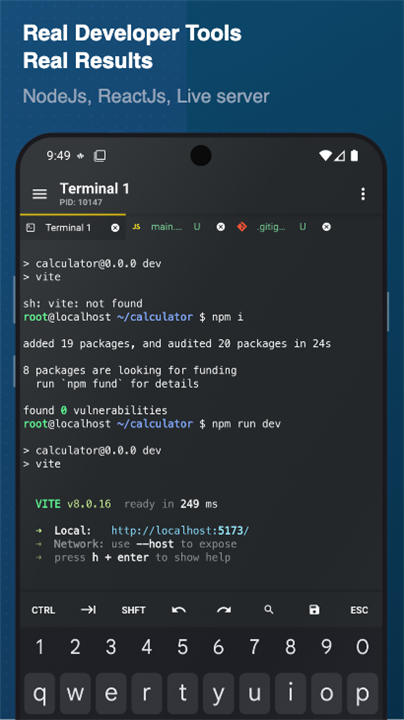
• Work efficiently with multi-tab terminals, custom shell configurations, and full backup options.
AI-Assisted Development
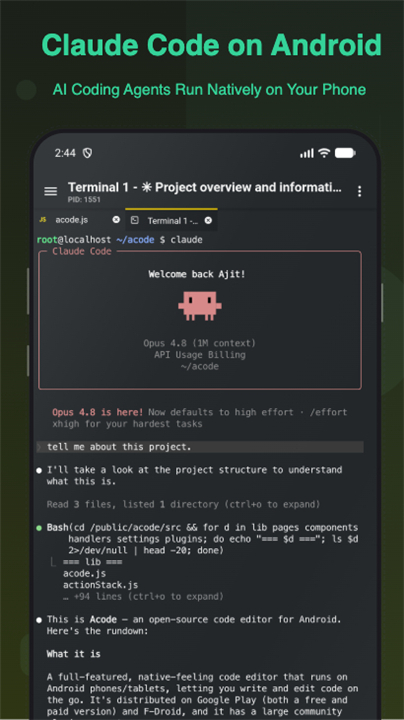
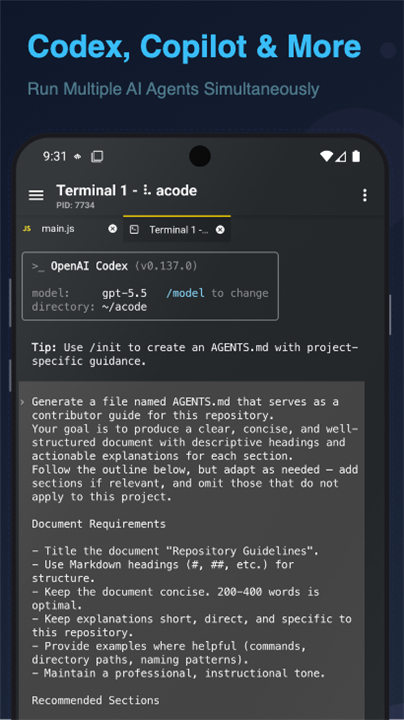
• Generate clean code, refactor files, and resolve errors instantly with integrated AI tools.
• Receive clear logic explanations and debugging advice directly on your phone or tablet.
Full-Stack Web & JavaScript Capabilities
• Run Node.js and npm natively to execute scripts, manage packages, and build APIs.
• Test front-end projects with live, real-time HTML and Markdown previews.
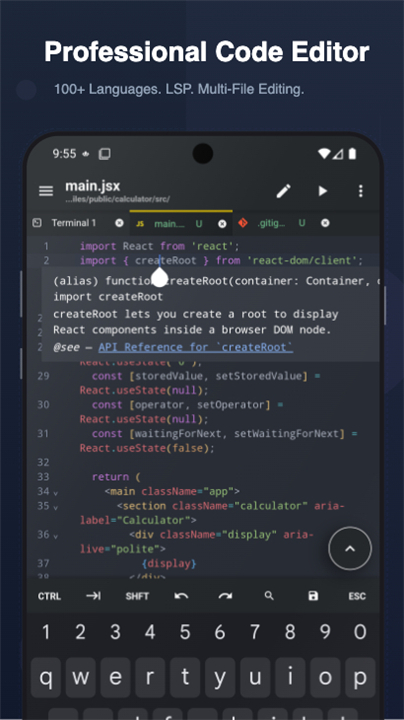
Pro-Grade Code Editor
• Write cleanly with syntax highlighting for more than 100 programming languages.
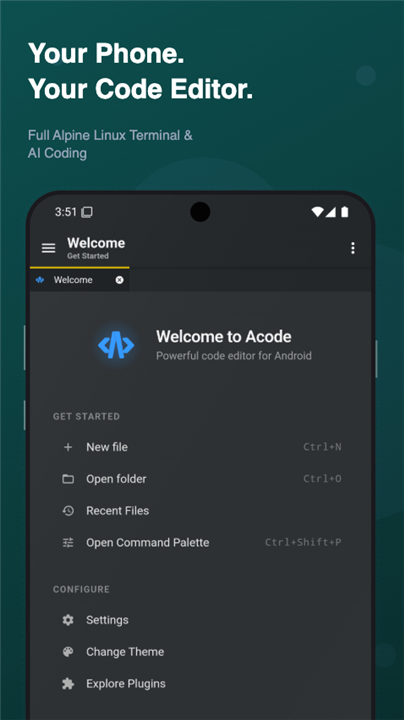
• Accelerate your workflow using keyboard shortcuts, Emmet, fast file search, and tabbed multi-file editing.
• Leverage intelligent auto-completion through Language Server Protocol (LSP) plugins.
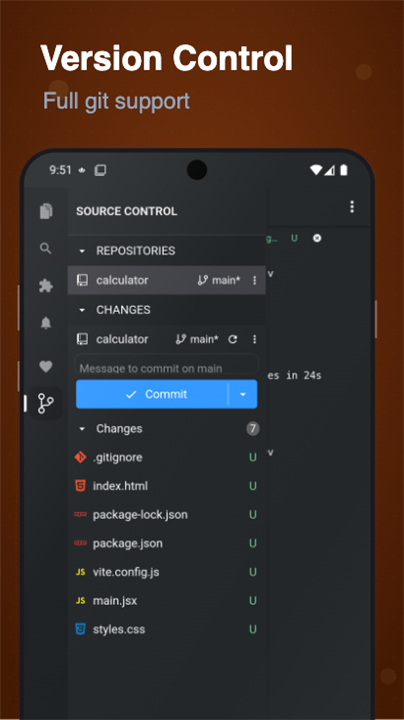
Git & Remote Operations
• Manage full Git workflows, including repository cloning, branching, committing, and pushing.
• Connect securely to remote servers using SSH, FTP, SFTP, and direct GitHub integration.
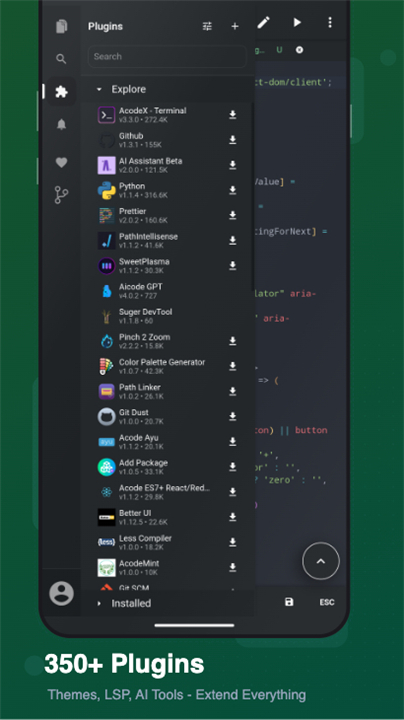
Extensible & Open Source
• Personalize your IDE through a growing community plugin store featuring formatters, theme packs, and LSPs.
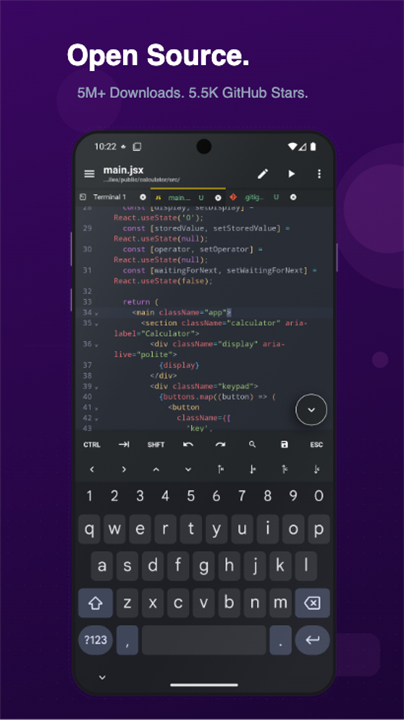
• Fully free and open-source under the MIT license, driven by a dedicated global community.
How to Get Started
1. Install Acode on any device running Android 7.0 or higher.
2. Launch the terminal and complete the fast, one-time initialization.
3. Add your favorite command-line packages and editor plugins.
4. Start creating, previewing, and shipping code on the go.
FAQ
Q: Do I need root access on my phone to use the built-in terminal?
A: No root access is required. Acode features a built-in Alpine Linux environment powered by PRoot, letting you run a full Linux workstation safely on your standard Android device.
Q: What kind of hardware or software do I need to get started with Acode?
A: Getting started is very light on requirements. You simply need any mobile device running Android version 7.0 or higher to install and run the application.
Q: How does AI-assisted development work in Acode?
A: Acode features integrated AI tools that help you generate clean code, refactor existing files, and resolve errors instantly. It can also provide clear explanations of logic and offer debugging advice directly on your phone or tablet.
Version History
v1.12.9——10 Aug 2026
Code editor, terminal & AI coding. Run Claude Code, Codex, Node.js, Open source. Download the latest version of Acode — Terminal & AI Coding to enjoy new features and updates immediately!
*1.12.9
Minor bug fixes and improvements. Install or update to the newest version to check it out!
*1.12.8
Minor bug fixes and improvements. Install or update to the newest version to check it out!
*1.12.7
Minor bug fixes and improvements. Install or update to the newest version to check it out!
- AppSize32.00M
- System Requirements5.0 and up
- Is there a feeFree(In game purchase items)
- AppLanguage English
- Package Namecom.foxdebug.acodefree
- MD5
- PublisherFoxbiz Software Pvt. Ltd.
- Content RatingTeenDiverse Content Discretion Advised
- Privilege19
-
Acode — Terminal & AI Coding 1.12.9Install
32.00M2026-10-28Updated










9.4
4677 Human Evaluation
- 5 Star
- 4 Star
- 3 Star
- 2 Star
- 1 Star




