
Zoho Vault is a powerful password manager designed to safeguard sensitive information and simplify password management for individuals and businesses. It generates strong, unique passwords for every account, securely stores them, and autofills login credentials across websites and mobile apps. With Zoho Vault, users can organize, access, and share passwords efficiently, ensuring complete security while minimizing the risk of breaches. Available for free for personal use and affordable for businesses, Zoho Vault provides robust security features that protect passwords, bank details, notes, and any other confidential data.
Secure Access for All Passwords
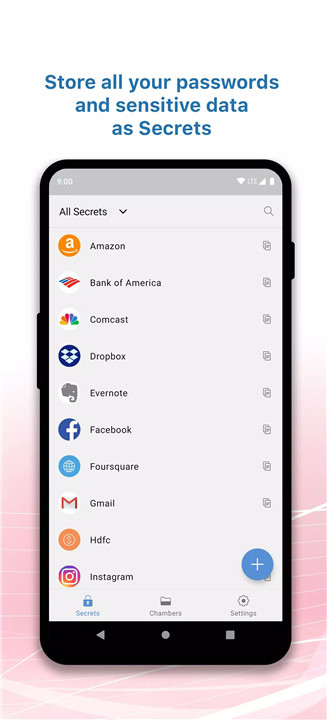
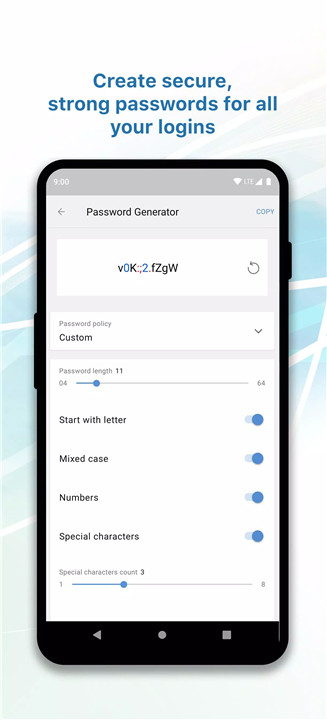
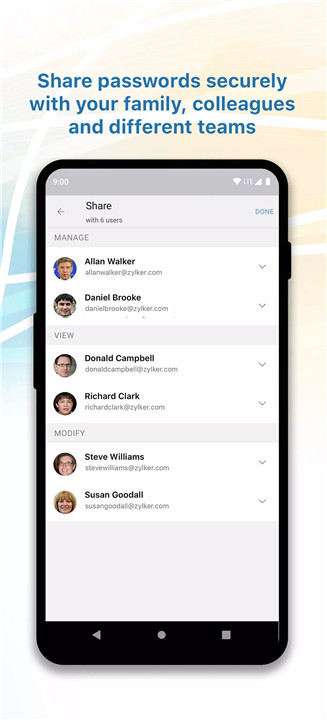
Zoho Vault allows storage of unlimited passwords, sensitive notes, and banking information. Users can generate strong, unique passwords for every account using the built-in password generator. Passwords can be safely shared among multiple users and teams, with full control over access approvals. All data is encrypted with AES 256 encryption, and passwords can be accessed offline when needed. Extra protection measures include multi-factor authentication and approval workflows for sensitive password requests.
Simplified Password Management
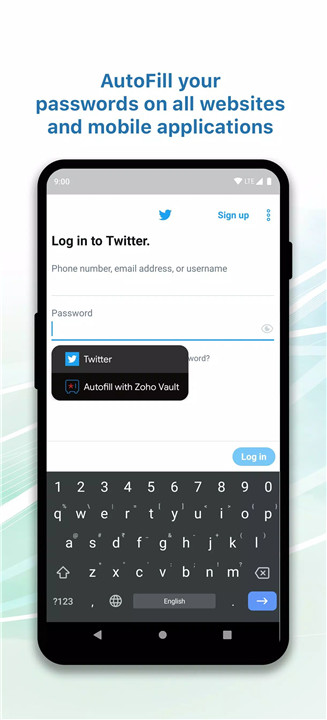
Passwords can be organized into folders for quick access and categorized using tags. Autofill functionality works across websites and applications, saving time during logins. Users can also customize their account with session timeouts and activity monitoring, ensuring convenience without compromising security.
Complete Security for Your Password Safe
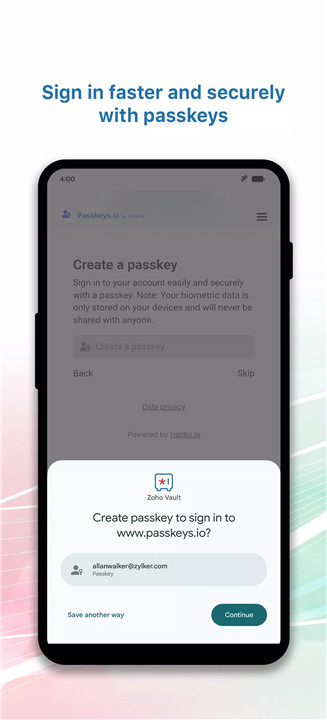
Zoho Vault protects sensitive information using advanced encryption and multi-factor authentication. Users can unlock their vault with fingerprint, face ID, device lock, or a custom PIN. The in-app browser allows secure logins to online accounts while keeping sensitive data safe. The master password, known only to the user, is never stored on Zoho servers, ensuring that only the account owner has access.
Easy Setup and Cross-Device Syncing
Zoho Vault can be quickly set up with an email account or authenticated through Google, Facebook, LinkedIn, or Twitter. Enterprises can use Active Directory credentials for secure login. Passwords are synced automatically across all devices, providing access anywhere in the world. Offline access ensures that credentials are available even without a stable internet connection.
Trusted and Affordable
Zoho Vault has been featured in major tech publications and recognized for its reliability. Personal users can access unlimited passwords and syncing for free. Businesses can upgrade to paid plans for team management, password sharing, and additional security features. Plans start at $5/month for five users or $54/year for five users.
FAQs
Q1: How does Zoho Vault secure my passwords?
Passwords and sensitive data are encrypted with AES 256 encryption. Multi-factor authentication and in-app security features ensure maximum protection.
Q2: Can I access my passwords offline?
Yes, Zoho Vault allows offline access to passwords, which sync automatically once the device reconnects to the internet.
Q3: Is Zoho Vault free to use?
Zoho Vault is free for personal use, providing unlimited password storage and cross-device syncing. Paid plans are available for teams and businesses.
Q4: How can passwords be shared with my team?
Passwords can be safely shared with multiple users, and access approvals can be managed with extra security for sensitive data.
Q5: How can I get support or give feedback?
Users can contact support at support@zohovault.com or participate in discussions on the community forum
Version History
v7.3—1 Jan, 2026
• Password reuse restriction: Prevent using previous passwords to strengthen security
• Minor security enhancement
v7.2.1—25 Nov, 2025
• Minor security enhancement and bug fixes
v7.2—16 Nov, 2025
- AppSize169.00M
- System Requirements5.0 and up
- Is there a feeFree(In game purchase items)
- AppLanguage English
- Package Namecom.zoho.vault
- MD5
- PublisherZoho Corporation
- Content RatingTeenDiverse Content Discretion Advised
- Privilege19
-
Zoho Vault Password Manager 7.3Install
169.00M2026-03-19Updated










8.5
7319 Human Evaluation
- 5 Star
- 4 Star
- 3 Star
- 2 Star
- 1 Star