
Zoho Projects for Android is a modern project management solution designed to keep teams connected and productive while on the move. With flexible tools and a user-friendly interface, it complements the web version, allowing users to manage projects, track progress, and collaborate from anywhere. Trusted by over a million users worldwide, Zoho Projects streamlines task management, communication, and documentation, making it easier to stay organized and meet deadlines.
Quick Project Access and Onboarding
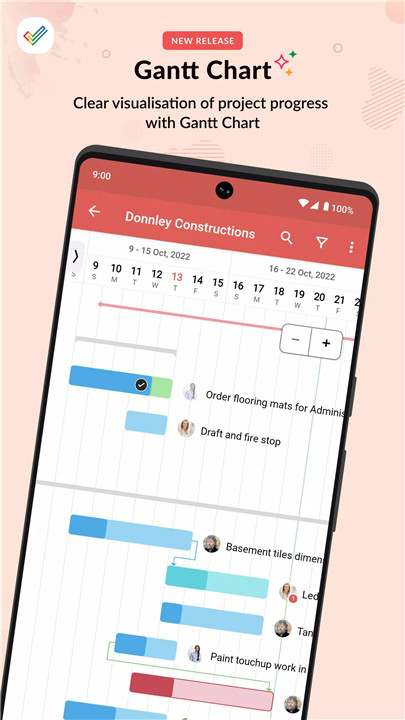
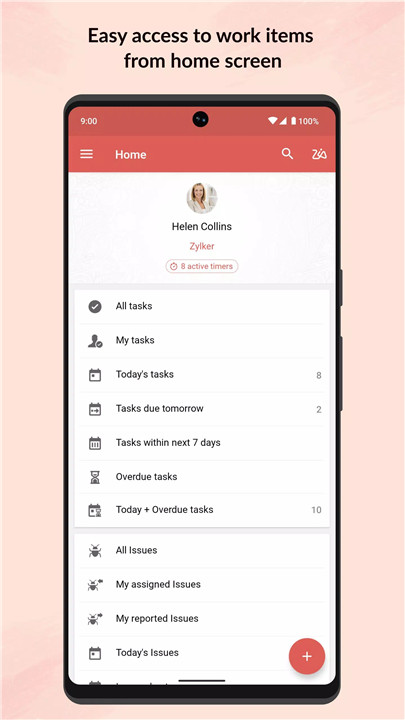
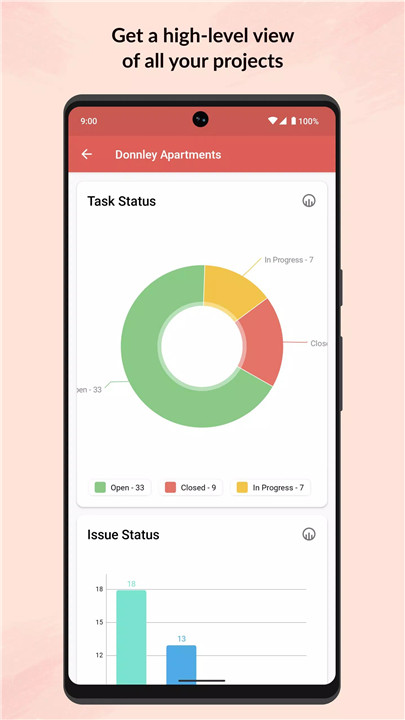
New users can sign up directly from the mobile app, gaining instant access to project dashboards. The intuitive interface allows easy navigation through ongoing projects, tasks, milestones, and discussion threads.
Task and Milestone Management
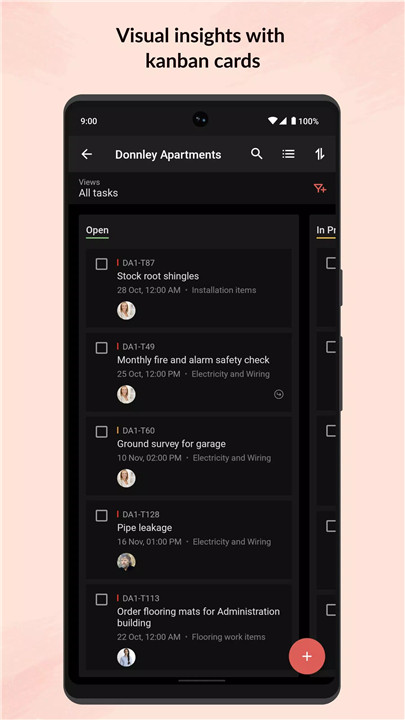
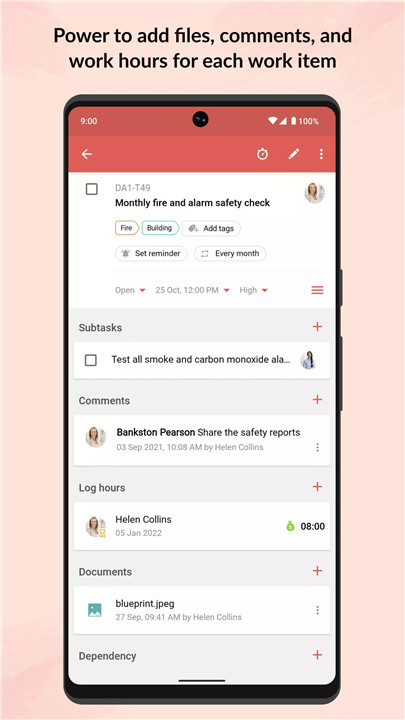
Zoho Projects enables the creation of tasks, milestones, and forums, all from a mobile device. Users can post status updates, submit bug reports, and attach relevant files, ensuring continuous workflow even when away from the desk.
Timesheet Tracking
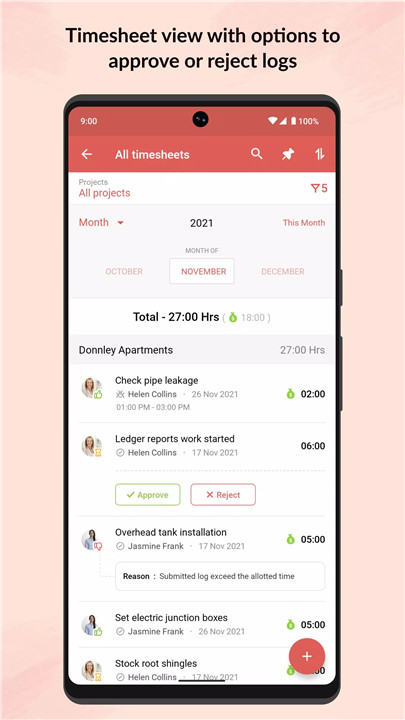
The integrated Timesheet module allows recording of work hours in daily, weekly, or monthly views. Team members can log time spent on tasks, giving managers clear visibility into productivity and resource allocation.
Document Management
All project-related documents are accessible from the app, with options to upload new files or update existing versions. Documents can be displayed as lists or thumbnails, providing flexibility and ease of use.
Collaboration and Communication
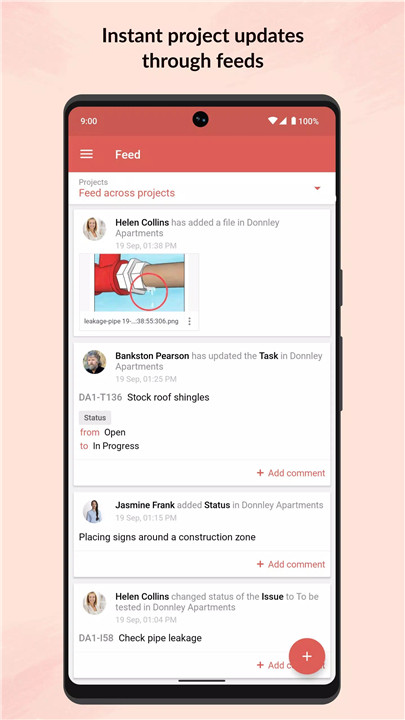
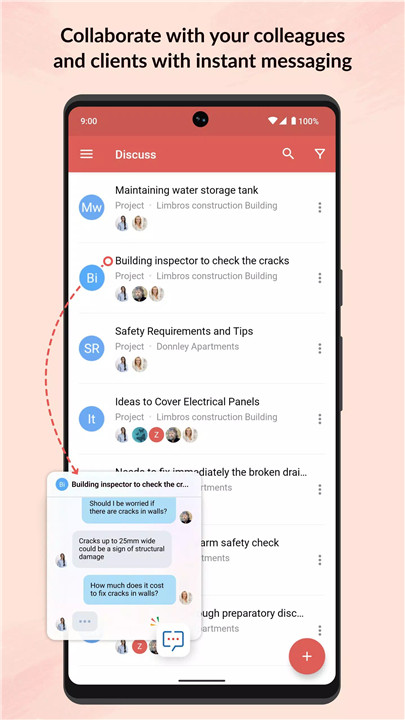
Feeds display ongoing discussions, comment threads, and activity updates, helping teams stay informed and respond quickly. The app supports file sharing and collaboration, fostering seamless communication among team members.
Optimized for Tablets
The app features a split-screen design on tablets for an enhanced viewing experience, allowing users to multitask efficiently and manage multiple project elements simultaneously.
FAQs
Q1: Can new users sign up using the mobile app?
Yes, Zoho Projects allows new users to register directly from the Android app and start managing projects immediately.
Q2: How does the app help with task management?
Users can create tasks, milestones, and forums, post updates, submit bugs, and attach files—all from their mobile device.
Q3: Can work hours be tracked on the go?
Yes, the Timesheet module supports daily, weekly, and monthly tracking of work hours for individuals and teams.
Q4: How are project documents managed?
All documents can be accessed, uploaded, or updated within the app and displayed as lists or thumbnails for easy navigation.
Q5: Is the app optimized for tablets?
Yes, Zoho Projects offers a split-screen design for tablets, providing an improved viewing experience and easier multitasking.
Version History
v3.8.15—5 Apr, 2024
We've carried out a few enhancements and addressed a few crash scenarios in this update.
v3.8.12—18 Mar, 2024
Introducing Web Tabs—configure your browser tabs seamlessly on the web and access them anytime on the mobile app.
v3.8.3—2 Jan, 2024
We've carried out a few enhancements and addressed a few crash scenarios in this update.
- AppSize35.28M
- System Requirements5.0 and up
- Is there a feeFree(In game purchase items)
- AppLanguage English
- Package Namecom.zoho.projects
- MD5a0dbe7b282e5d02ed54b48e633ad5359
- Publisher暂无资料
- Content RatingTeenDiverse Content Discretion Advised
- Privilege19
-
Zoho Projects 3.8.15Install
35.28M2026-03-19Updated










9.3
6169 Human Evaluation
- 5 Star
- 4 Star
- 3 Star
- 2 Star
- 1 Star