XOS Launcher
Cool, Stylish, and Smart
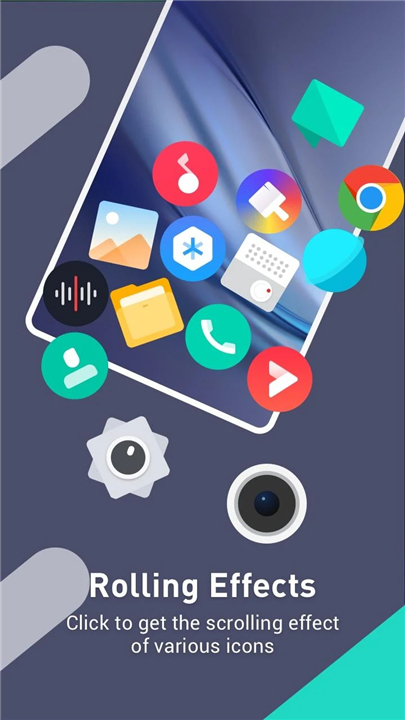
• XOS Launcher is designed to give your smartphone a fresh, modern, and highly customizable interface.
• Built with both beauty and intelligence in mind, it enhances your mobile experience by combining style, performance, and convenience.
• Whether you enjoy personalizing every detail of your device or prefer a simple, clean layout, XOS Launcher offers flexibility to suit your preferences.
Key Features
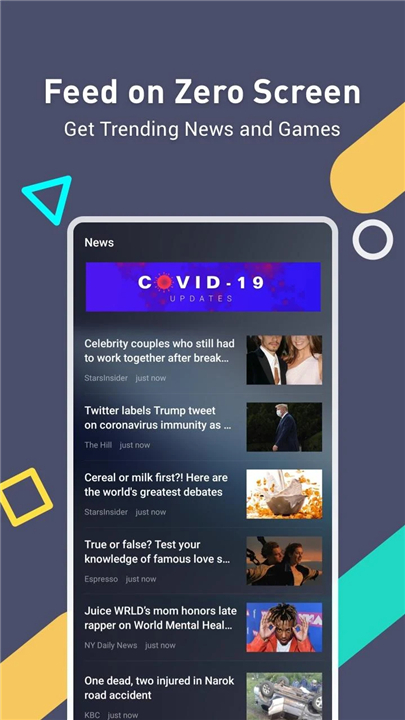
1. Feed on Zero Screen
• Instantly access trending news, entertainment updates, and new game recommendations directly from your home screen.
• Stay informed without opening multiple apps.
• Enjoy a smooth and visually appealing feed experience designed to match your interests.
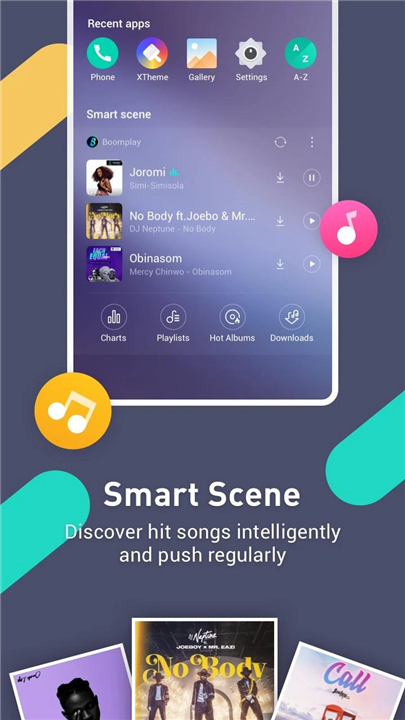
2. Smart Scene
• The Smart Scene function intelligently recommends hit songs and other engaging content.
• It analyzes your habits to deliver timely and relevant updates.
• Regular push notifications ensure you never miss the latest trends in music and entertainment.
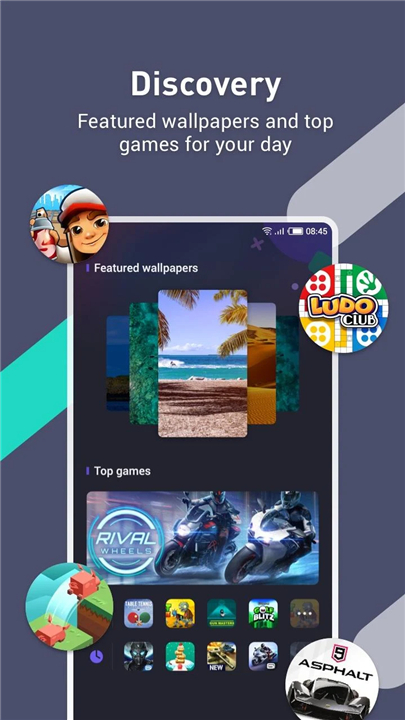
3. Discovery
• Explore a rich collection of featured wallpapers to personalize your device.
• Discover top games and apps curated for your enjoyment.
• Refresh your screen with new designs and content every day.
4. More Interesting Functions
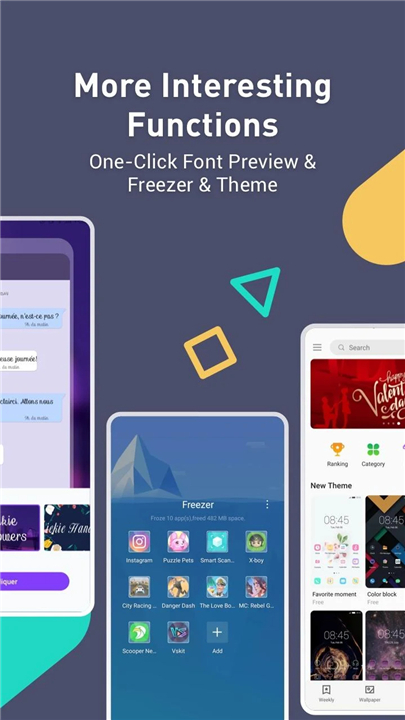
• One-Click Font Preview: Instantly view and apply different fonts to match your style.
• Freezer: Pause rarely used apps to save power and improve performance.
• Theme Customization: Choose from a wide range of themes to transform your phone’s look and feel.
• Additional tools and settings allow you to tailor your phone exactly the way you like it.
About XOS Launcher
• XOS Launcher is proudly developed by Infinix Mobility, as part of the XOS project.
• It reflects Infinix’s commitment to innovation, user comfort, and design excellence.
To learn more about XOS and explore its full range of features, visit:
• http://www.infinixmobility.com/xos/
If you have any questions, feedback, or suggestions, we welcome you to share them with the XOS team.
Your input helps us create a better and smarter user experience for everyone.
FAQ
Q: Can I import my existing home screen layout and app icons when I switch to XOS Launcher?
A: Yes, XOS Launcher prompts you to import your current layout during the initial setup. You can transfer your folders, app positions, and icon arrangements seamlessly so your switch feels smooth and familiar.
Q: What is the Feed on Zero Screen feature and how do I use it?
A: Feed on Zero Screen places a dynamic feed on the far-left home panel. It aggregates trending news, entertainment updates, and fresh game recommendations. To access it, swipe right from your primary home screen. You can personalize topics in settings so the feed matches your interests.
Q: How does the Smart Scene function work?
A: Smart Scene uses machine learning to analyze your usage patterns and musical tastes. Based on this data, it pushes timely song suggestions and entertainment content. You’ll receive notifications whenever new tracks or trending media align with your preferences.
Version History
v13.9.46——5 Jan 2026
XOS official Launcher is right choice for your customized phone. Download the latest version of XOS Launcher -Cool Stylish to enjoy new features and updates immediately!
*13.9.46
Optimizing User Experience
*13.9.44
Optimizing User Experience
*13.9.43
Optimizing User Experience
- AppSize54.66M
- System Requirements5.0 and up
- Is there a feeFree(In game purchase items)
- AppLanguage English
- Package Namecom.transsion.XOSLauncher
- MD5b841c20117a2fd42f72a8b5890e11b7c
- PublisherTranssion Holdings
- Content RatingTeenDiverse Content Discretion Advised
- Privilege19
-
XOS Launcher -Cool Stylish 13.9.46Install
54.66M2026-03-01Updated










7.2
7394 Human Evaluation
- 5 Star
- 4 Star
- 3 Star
- 2 Star
- 1 Star