
XBrowser: Mini & Super Fast is designed to bring you back to the true essence of web browsing—a clean, lightweight, secure, and highly personalized experience without unnecessary clutter.
Small & Super Fast
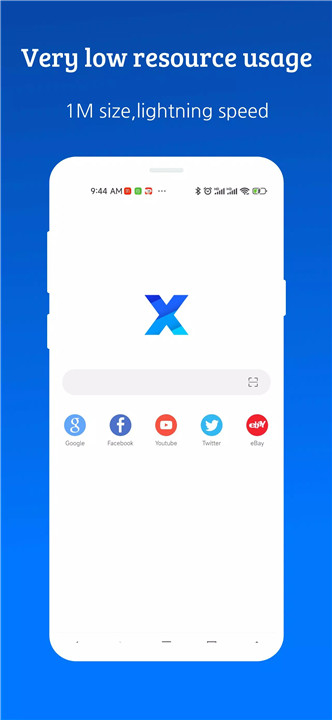
Despite being only 1MB in size, XBrowser delivers impressive speed and efficiency. Its clean architecture allows lightning-fast startup times and minimal resource usage.
Security & Privacy Focused
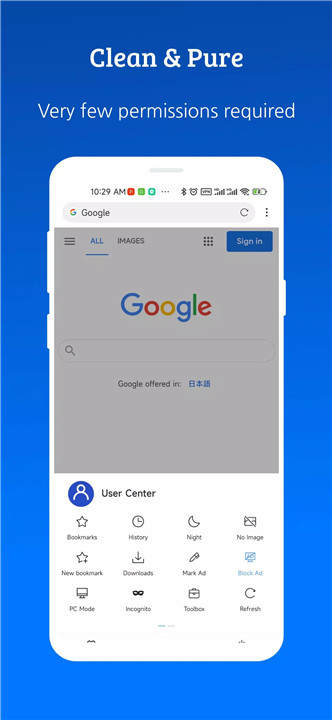
XBrowser is built around privacy-first principles. It requests only minimal permissions and operates without background services or push notifications. With no hidden data collection and no unnecessary processes, XBrowser ensures your browsing stays secure, private, and energy-efficient.
Personalized Customization
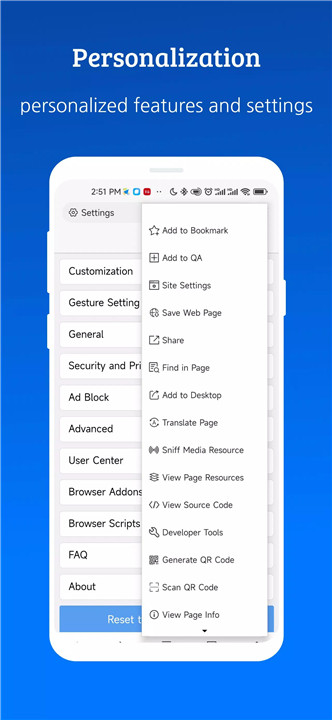
Shape the browser to match your style. XBrowser offers appearance settings, customizable gestures, shortcuts, and a wide range of personalized options. Tailor every interaction—from layout to navigation—to build a browsing experience that feels uniquely your own.
Powerful Addon Support
Unlock advanced functionality with integrated support for third-party downloaders, video players, and user scripts. Built-in compatibility with TamperMonkey and GreaseMonkey allows you to run user scripts, automate tasks, modify webpages, and expand browser capabilities on demand.
Ad Blocking
Enjoy a clean, distraction-free internet with XBrowser’s powerful ad-blocking engine. Remove up to 80% of malicious or intrusive ads, and even import or subscribe to third-party blocking rules for enhanced protection and browsing comfort.
Video Sniffing
XBrowser offers advanced video sniffing capabilities that detect online video files effortlessly. Save videos from websites with ease—perfect for offline watching or content archiving.
User Script Support
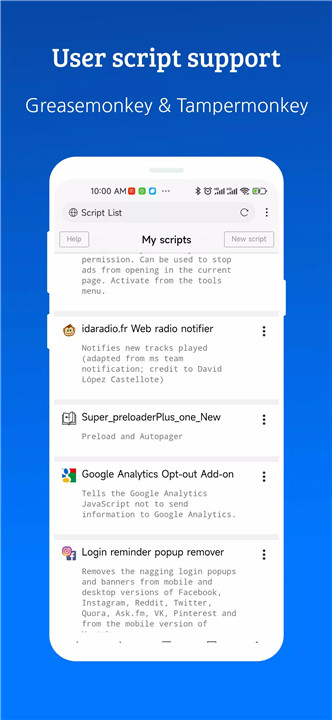
With built-in support for both GreaseMonkey and TamperMonkey user scripts, XBrowser lets you supercharge your browsing experience. Automate tasks, customize webpage behavior, or add completely new features through powerful scripts.
Autofill Forms
Save time with smart autofill features. XBrowser can automatically fill usernames, passwords, addresses, and other form data, helping you browse faster and more conveniently.
FAQs
1. What makes XBrowser different from other mobile browsers?
XBrowser is ultra-lightweight at just 1MB, offering fast performance, strong privacy, customizable features, and powerful ad blocking—without clutter or background processes.
2. Does XBrowser collect personal data or track users?
No. XBrowser requests only minimal permissions, runs without background services, and does not collect or distribute personal data, ensuring a fully private browsing experience.
3. Can I use user scripts like TamperMonkey or GreaseMonkey?
Yes! XBrowser includes built-in support for GreaseMonkey and TamperMonkey scripts, allowing you to customize webpages and add advanced functionality with ease.
4. How effective is the ad blocker?
XBrowser’s ad blocker removes around 80% of malicious or intrusive ads and supports additional third-party filter lists for even better blocking performance.
5. Does XBrowser work on low-end or older devices?
Absolutely. With its tiny size and minimal resource consumption, XBrowser runs smoothly on older phones, low-performance devices, and modern smartphones alike.
Version History
v4.4.2—11 Mar, 2024
- New page toolbox option "Voice over body text".
- New option "Read selected text aloud" in the Select Text Extension menu.
- Support long press triple speed playback when playing video in full screen
- Fix the problem that long press menu may cause misoperation in some cases.
- Fix the problem that the download file cannot be opened through the notification bar when downloading in some Android versions.
v4.4.1—28 Feb, 2024
- New tab add option whether to be under current tab or add to the end of tab list.
- Video multiplier add 3x speed option
- Enable sync password/autofill by default.
- Fix the problem of duplicate records in password autofill.
- Fix the compatibility problem of some Grease Monkey functions.
- Fix a crash problem when clicking the address bar in horizontal screen.
v4.4.0—30 Jan, 2024
- Optimise video playback control, full-screen video playback supports gesture control.
- Add a quick favourites button when playing video in full screen mode.
- Add a button to control the screen direction when playing video in full-screen mode.
- History/bookmark search keywords are not case-sensitive.
- Fixed the problem that some sites don't support auto-fill.
- Fixed the crash problem caused by changing device screen orientation in some cases.
- AppSize1.63M
- System Requirements5.0 and up
- Is there a feeFree(In game purchase items)
- AppLanguage English
- Package Namecom.xbrowser.play
- MD59b5fd3fb07748409081986b2bf334060
- Publisherbyteman.su
- Content RatingTeenDiverse Content Discretion Advised
- Privilege19


-
XBrowser - Mini & Super fast 4.4.2Install
1.63M2026-03-14Updated










9.5
195 Human Evaluation
- 5 Star
- 4 Star
- 3 Star
- 2 Star
- 1 Star