
Vector Ink is a powerful vector graphic design app for Android that transforms the way digital artists, designers, and illustrators create. With features like a built-in digital stylus, advanced path builder, and gradient tools, users can turn creative ideas into professional designs effortlessly.
Built-in Digital Stylus
Vector Ink includes the first-ever built-in digital stylus technology, allowing users to draw with their finger or a stylus on touchscreen devices. This feature provides visual feedback while drawing, enabling precise designs even in tight spaces.
Draw Tool
The Draw Tool guides freehand strokes with stabilizers and automatically connects lines to the nearest open path. This eliminates the need to manually merge paths and makes drawing smoother and faster.
Path Builder Tool
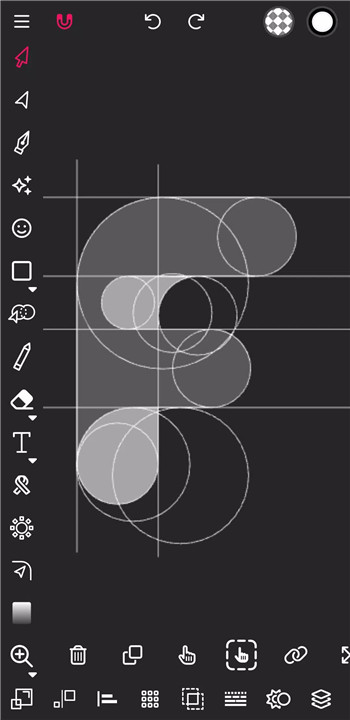
Create complex vector shapes effortlessly. Merge multiple shapes, trace imported illustrations, or build precision designs in seconds that would normally take several minutes. The Path Builder Tool streamlines the vector design workflow.
Distribute Tool
Easily copy and distribute shapes left-to-right, top-to-bottom, in grids, or around points and other shapes. This tool allows precise alignment and pattern creation for professional-quality designs.
Gradient Tool & Color Palettes
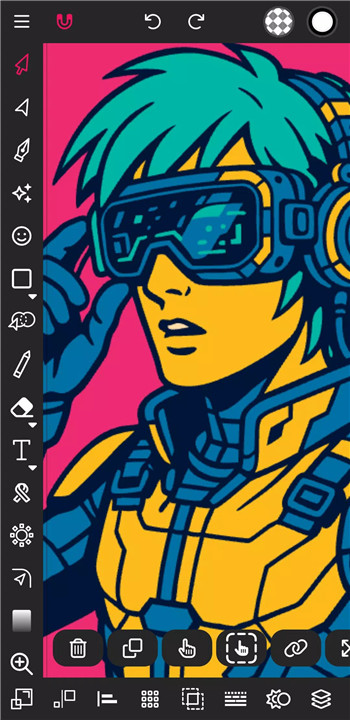
Vector Ink supports linear and radial gradients, multiple color pickers (wheel, RGB, HSB, hex), and a library of ready-made color palettes. Users can generate, edit, and save custom palettes to maintain consistent color schemes across projects.
Layer Management
Add, delete, reorder, and group layers or objects. Layer control allows flexible organization for complex projects, making it easy to manage multiple elements.
Comprehensive Vector Tools
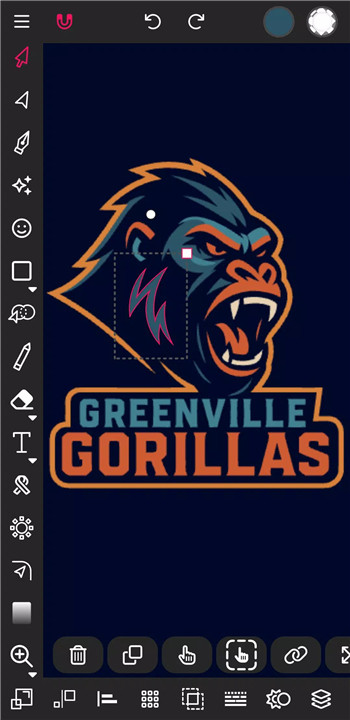
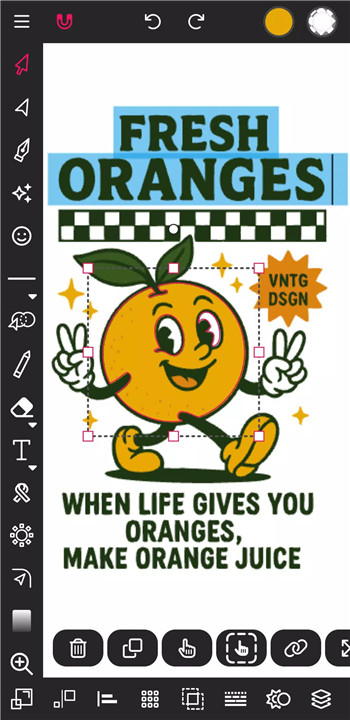
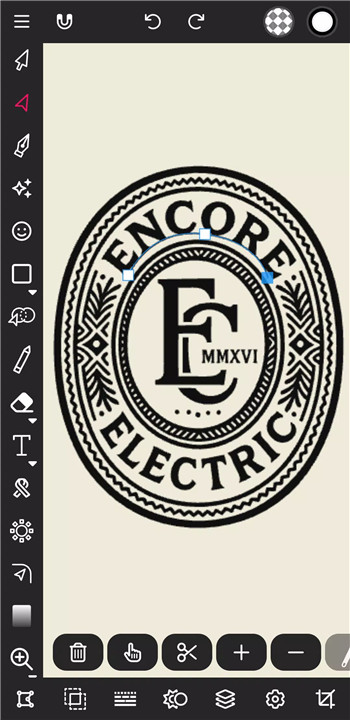
Vector Ink includes a full set of design tools such as Pen Tool, Corner Tool, Ribbon Tool, Rectangle, Circle, Star, Polygon Tools, path controls, Boolean operations, cut/join paths, stroke settings, and text-to-path conversion.
Import & Export Options
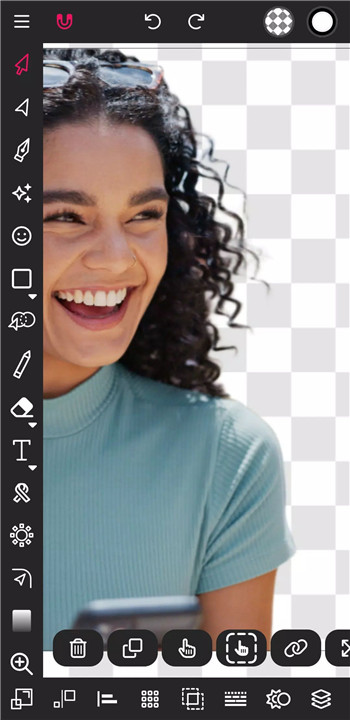
Import PNG, JPG, and SVG files and export in any size with options for transparent backgrounds. Users can also export selected shapes individually as SVG, providing flexibility for various workflows.
Additional Features
Outline Text, Custom Font import, stroke-to-path conversion, and full document control including width, height, and background color. These features ensure every design element is precise and customizable.
FAQs
Q1: Can I draw without a stylus in Vector Ink?
Yes, the built-in digital stylus allows drawing with your finger while providing precise visual feedback.
Q2: What file formats can Vector Ink import and export?
Vector Ink supports PNG, JPG, and SVG for both import and export, with options for transparent backgrounds and individual shape exports.
Q3: How does the Path Builder Tool work?
The Path Builder Tool lets users merge multiple shapes, trace imported sketches, and create complex shapes quickly and accurately.
Q4: Can I create and save custom color palettes?
Yes, Vector Ink offers color palette generation, saving, and management, including linear and radial gradients with multiple picker options.
Q5: Does Vector Ink support layers and grouping?
Absolutely. Users can add, delete, reorder, and group layers or shapes for organized, complex designs.
Version History
v1.0.3—29 Dec, 2020
- Added SVG export
- Made Minor UI Changes
- Fixed imported PNG & JPG issues
- Fixed PNG & JPG export issues
v6.0.6—14 Feb, 2026
Version 6 is Here! New AI Tools, Enhanced Performance & More
Here's What's New:
Shape Builder Tool Improvements
Fixed Imported Font Selection
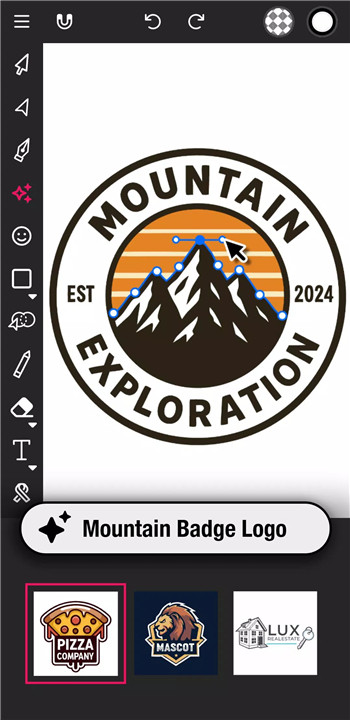
A.I Vector Image Generator Tool
Eraser Tool
Scissor Tool
Slice Tool
Remove Tool
Stroke Width Editor
Rulers & Guides
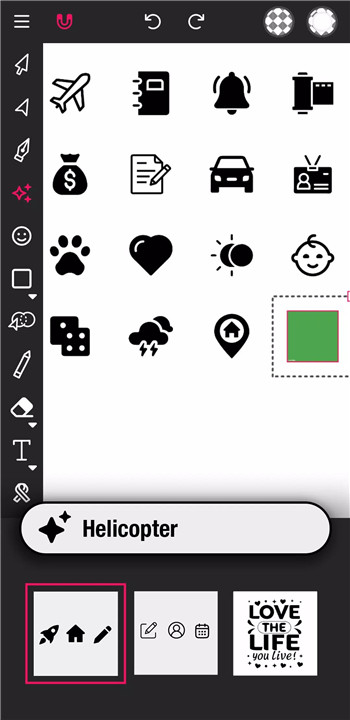
Icon Library
Tutorials
Improved performance
Improved Export Quality
PDF Export
.ai and .eps Import
v6.0.5—19 Jan, 2026
Version 6 is Here! New AI Tools, Enhanced Performance & More
Here's What's New:
Shape Builder Tool Improvements
Fixed Imported Font Selection
A.I Vector Image Generator Tool
Eraser Tool
Scissor Tool
Slice Tool
Remove Tool
Stroke Width Editor
Rulers & Guides
Icon Library
Tutorials
Improved performance
Improved Export Quality
PDF Export
.ai and .eps Import
- AppSize16.83M
- System Requirements5.0 and up
- Is there a feeFree(In game purchase items)
- AppLanguage English
- Package Namecom.app.vectorink
- MD5c5fd9362b9689216cadd14b14c687c93
- PublisherVector Ink LLC
- Content RatingTeenDiverse Content Discretion Advised
- Privilege19
-
Vector Ink: SVG, Illustrator 1.0.3Install
16.83M2026-03-14Updated










7.1
6535 Human Evaluation
- 5 Star
- 4 Star
- 3 Star
- 2 Star
- 1 Star