
Ticketmatic is the official ticket wallet app for venues using the Ticketmatic platform. It provides a reliable, organized, and fully digital solution for accessing tickets without the need to print or download separate files. Tickets purchased through Ticketmatic are guaranteed valid, removing the risk of counterfeit or invalid passes.
Instant Ticket Access
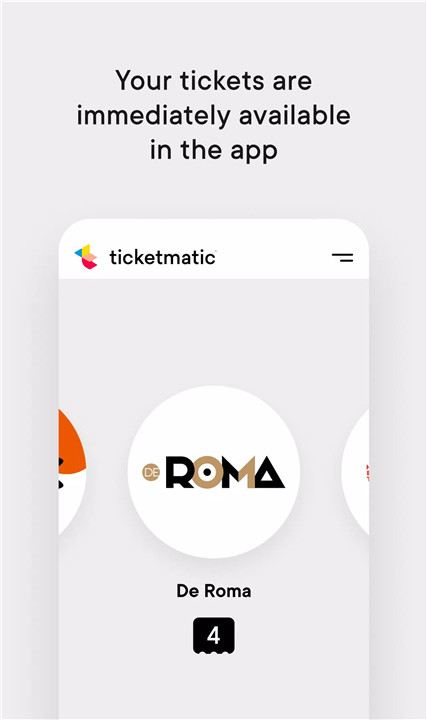
Tickets purchased through Ticketmatic are immediately available in the app. Users no longer need to print tickets or dig through emails. Tickets appear in a clear, organized list, ready for presentation at the venue.
Guaranteed Validity
All tickets stored in the Ticketmatic app are guaranteed authentic. This feature eliminates the worry of fake or invalid tickets, providing peace of mind for every event.
Forward and Share Tickets
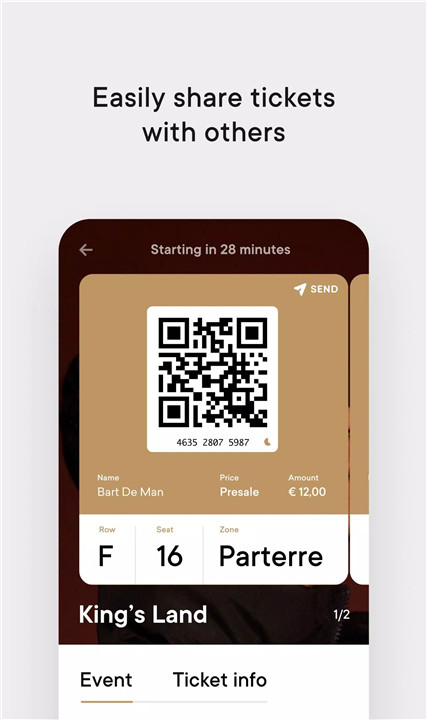
When purchasing multiple tickets, they can be forwarded to friends or family directly through the app. This simplifies group attendance and ensures everyone has easy access to their own ticket.
Event Information & Updates
Organizers can attach details, schedules, or other relevant updates to tickets, turning them into interactive program booklets. This ensures users stay informed about any changes or important information related to their event.
Personal Account Management
Ticketmatic allows users to view and edit personal information, manage their orders, and review their entire ticket history. This centralized management ensures clarity and control over all event bookings.
Offline Access
Once tickets appear under “My tickets,” they are stored locally on the device. Users do not need an internet connection to present tickets at the entrance, making access convenient even if the phone is offline.
FAQs
Q1: Which devices support the Ticketmatic app?
The app runs on Android devices (version 5.0 or higher) and iPhones (iOS 15.0 or higher). Rooted or jailbroken devices are not supported.
Q2: What if my battery is low or dead?
Tickets can be printed beforehand or accessed on another smartphone by logging in using your email to retrieve the login code.
Q3: How can tickets be resold?
Reselling tickets is handled directly by the venue where they were purchased. Contact the venue for instructions.
Q4: Is an internet connection required to show tickets at entry?
No. Tickets are stored locally in the app once purchased, so they can be presented offline at the entrance.
Q5: Who should I contact if I have questions about an event?
For event-specific questions, contact the venue directly or check their website. Ticketmatic provides only the ticketing software and is not involved in ticket sales.
Version History
v11.1—28 May, 2024
Bug fixes
v10.5—4 Apr, 2024
Bug fixes
v8.16—29 Mar, 2023
Bug fixes
- AppSize8.50M
- System Requirements5.0 and up
- Is there a feeFree(In game purchase items)
- AppLanguage English
- Package Namecom.ticketmatic
- MD5
- PublisherTicketmatic
- Content RatingTeenDiverse Content Discretion Advised
- Privilege19

-
Ticketmatic 11.1Install
8.50M2026-02-27Updated










8.5
508 Human Evaluation
- 5 Star
- 4 Star
- 3 Star
- 2 Star
- 1 Star