Screen Mirroring Cast to TV
Elevate Your Viewing Experience
• Stop squinting at your small smartphone screen and unlock the full potential of your home entertainment system.
• This screen mirroring app empowers you to project your digital world onto a grander scale, transforming how you interact with your favorite content.
Why Choose a Larger Display
• Give your eyes a much-needed break by shifting from a handheld device to the expansive view of your television.
• Transform your living room into a private theater for movies, music, and gaming.
• Share your most cherished memories with the whole family by displaying travel photos and videos on a screen everyone can see.
• Deliver professional demonstrations or follow workout routines with the clarity and detail only a TV can provide.
Seamless and Powerful Features
• Enjoy total compatibility with popular devices including Chromecast, Firestick, Roku, and Anycast.
• Experience the freedom of a wireless connection that eliminates the need for bulky HDMI cables.
• Rest easy with a secure connection designed to protect your personal data and files while you stream.
• Access a completely free tool that is compatible with all Android devices and versions.
Quick Setup Guide
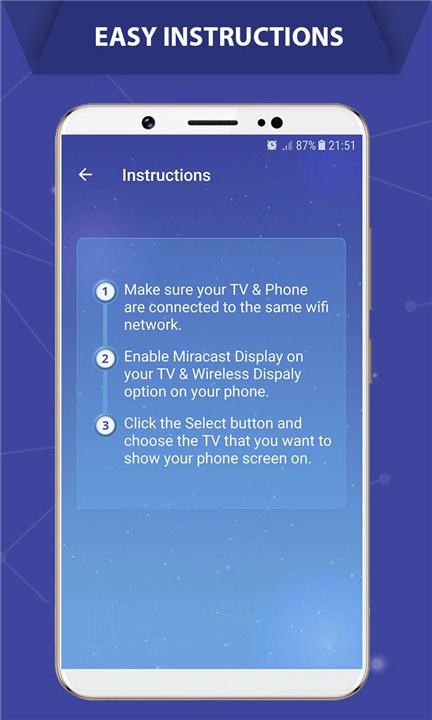
• Ensure both your smartphone and your television are connected to the same Wi-Fi network.
• Activate the Miracast Display setting on your television.
• Enable the Wireless Display option on your mobile device.
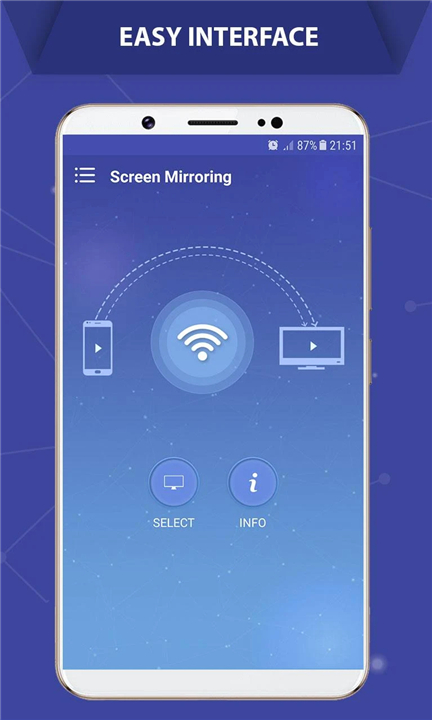
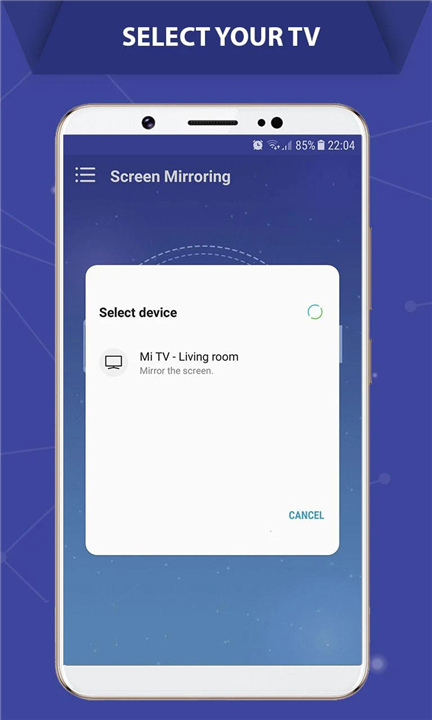
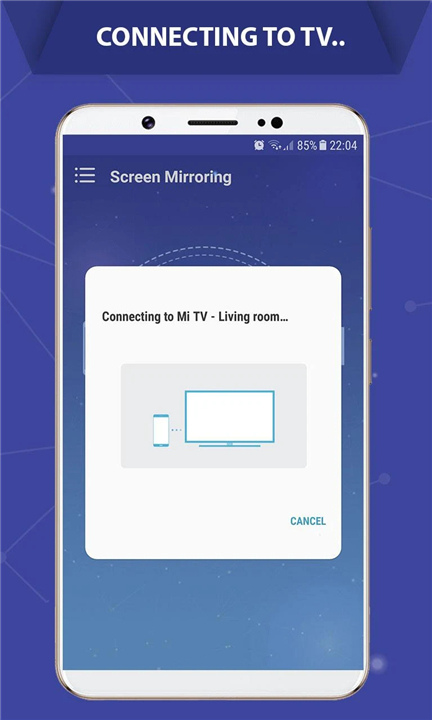
• Select your TV from the list within the app and begin casting instantly.
Our Commitment to You
• We believe technology should be simple and inspiring.
• If you encounter any challenges or have ideas for new features, our team is ready to help.
• Please reach out to us at contact@soomapps.com so we can ensure you have the best possible experience before you leave feedback.
FAQ
Q: Which specific streaming devices are compatible with this screen mirroring tool?
A: This application is designed with versatility in mind and offers total compatibility with many of the most popular streaming devices available today. You can effortlessly connect your smartphone to Chromecast, Firestick, Roku, and Anycast devices, ensuring that you can enjoy your content regardless of which hardware you prefer to use.
Q: Is there a cost associated with downloading and using this casting service?
A: You will be happy to know that this is a completely free tool designed to provide a high-quality casting experience without any financial commitment. Our goal is to make the technology accessible to everyone, ensuring that it remains compatible across all Android devices and software versions.
Q: What are the fundamental requirements for my home network to make this work?
A: The most important technical requirement is that both your smartphone and your television must be connected to the exact same Wi-Fi network. This allows the two devices to communicate with one another wirelessly, creating a stable bridge to transmit your screen data without the need for any physical connections.
Version History
v2.10.0——8 Apr 2026
Screen Mirroring Cast to TV is a screen mirroring app that lets you cast your phone to your TV. Download the latest version of Screen Mirroring Cast to TV to enjoy new features and updates immediately!
*2.10.0
Minor bug fixes and improvements. Install or update to the newest version to check it out!
*2.9.9
Minor bug fixes and improvements. Install or update to the newest version to check it out!
*2.9.8
Minor bug fixes and improvements. Install or update to the newest version to check it out!
- AppSize38.00M
- System Requirements5.0 and up
- Is there a feeFree(In game purchase items)
- AppLanguage English
- Package Namecom.soomapps.screenmirroring
- MD5
- PublisherSoftoria LLC
- Content RatingTeenDiverse Content Discretion Advised
- Privilege19
-
Screen Mirroring Cast to TV 2.10.0Install
38.00M2026-04-09Updated










8.7
8557 Human Evaluation
- 5 Star
- 4 Star
- 3 Star
- 2 Star
- 1 Star