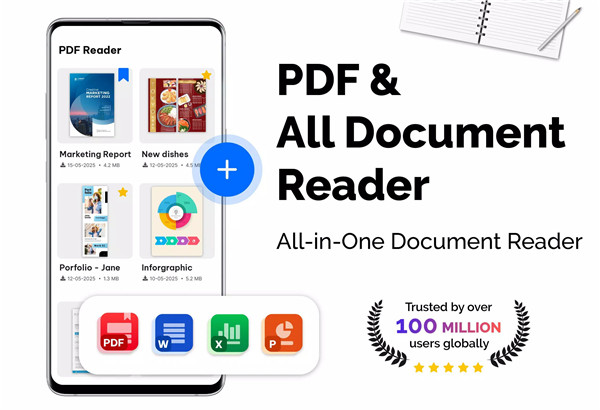
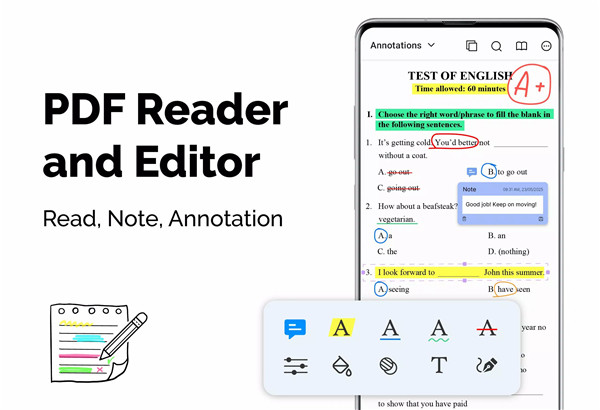
In today’s digital world, PDFs are one of the most common file formats for documents, whether it’s for work, school, or personal use. PDF Reader – PDF Viewer is a lightweight and highly efficient app designed to help users view, manage, and convert PDF files effortlessly.
Quick and Efficient Display
One of the standout features of PDF Reader – PDF Viewer is its ability to load even the largest PDF files quickly. With advanced technology, the app ensures that even documents larger than 300MB are displayed without delays. This makes it ideal for users who frequently handle large PDFs, ensuring that no document is too big to open.
Multiple Viewing Modes
The app offers several viewing modes to enhance the reading experience. Users can choose from single-page mode for focused reading, two-page mode for a more book-like experience, and full-screen mode to eliminate distractions.
Flexible PDF Orientation
PDF Reader – PDF Viewer supports both vertical and horizontal orientations, ensuring the most convenient experience for reading PDF files in any format.
Easy Navigation with Quick Page Moving
Navigating large documents is hassle-free with PDF Reader – PDF Viewer. You can quickly jump to a specific page number, and the app includes a fast page navigation feature, allowing you to go back to previous pages with just a tap.
Bookmarking for Quick Access
For users who need to revisit specific sections of a document, the bookmarking feature in PDF Reader – PDF Viewer is invaluable. You can create bookmarks at any point in a PDF for easy navigation later.
Customizable Theme Color
The app gives you the option to customize your viewing experience by choosing between a dark theme or a light theme.
PDF Converter and Scanner
Beyond just reading PDFs, PDF Reader – PDF Viewer also includes powerful conversion tools:
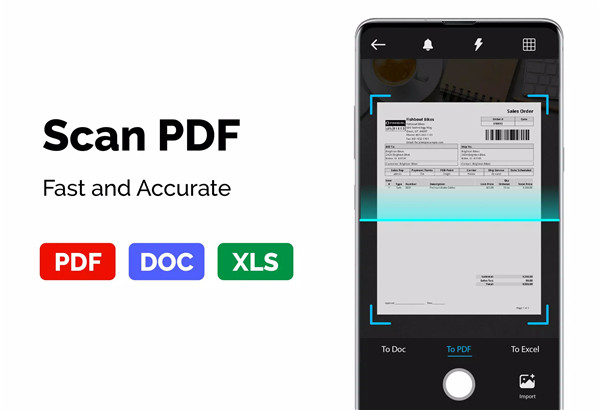
· Image to PDF: Easily turn images, receipts, notes, and more into PDFs using the free PDF scanner.
· PDF to JPG: Convert PDFs into individual images with annotations to share and display better.
· PDF Creator: Combine multiple images (in formats like PNG, JPG, TIFF, GIF) into a single PDF file.
FAQs
1. How fast does PDF Reader – PDF Viewer load large PDF files?
The app uses advanced technology to load PDF files, including large documents (over 300MB), faster than ever, making it ideal for handling bulky files.
2. What viewing modes does PDF Reader – PDF Viewer support?
The app supports single-page, two-page, book mode, and full-screen reading modes, allowing you to choose the best view for your reading preferences.
3. Can I convert images to PDF using PDF Reader – PDF Viewer?
Yes! You can use the free PDF scanner to convert images, receipts, and notes into PDF files quickly and easily with the app.
4. Is PDF Reader – PDF Viewer customizable?
Yes, the app allows you to customize the reading theme with a choice between dark or light mode, offering a comfortable reading experience in different lighting conditions.
5. Does PDF Reader – PDF Viewer support password-protected PDFs?
Yes, the app can open and view password-protected PDFs, allowing you to securely access and manage your documents without any issues.
Version History
v2.1.2—7 Jul, 2025
v2.0.7—19 Jun, 2025
v2.0.3—6 Jun, 2025
- AppSize40.30M
- System Requirements5.0 and up
- Is there a feeFree(In game purchase items)
- AppLanguage English
- Package Namecom.ezt.pdfreader.pdfviewer
- MD5
- PublisherEZTech Apps
- Content RatingTeenDiverse Content Discretion Advised
- Privilege19

-
PDF Reader – PDF Viewer 2.1.2Install
40.30M2026-03-22Updated










9.6
1105 Human Evaluation
- 5 Star
- 4 Star
- 3 Star
- 2 Star
- 1 Star