NAVER Calendar provides a comprehensive solution for managing schedules, tasks, anniversaries, habits, and diaries all in one app. Designed to simplify daily life, it offers multiple viewing modes, dark mode support, and synchronization across devices. Users can stay on top of appointments, check the weather, plan tasks efficiently, and even decorate schedules with over 700 free stickers. Full support for smartwatches and cross-platform calendar sync ensures seamless management, whether on a phone, tablet, or PC.
Schedule, Anniversary, Task, Habit, and Diary
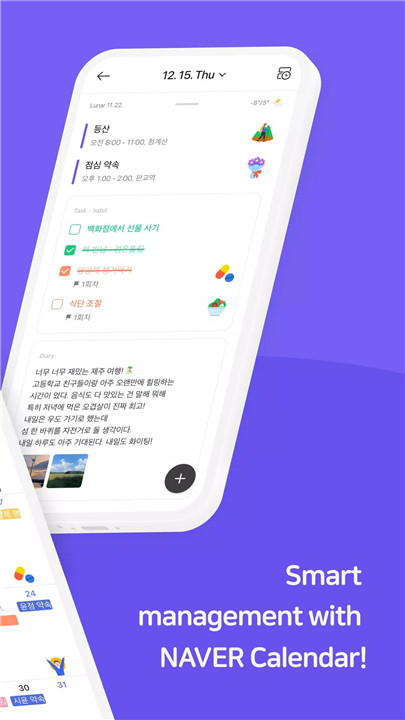
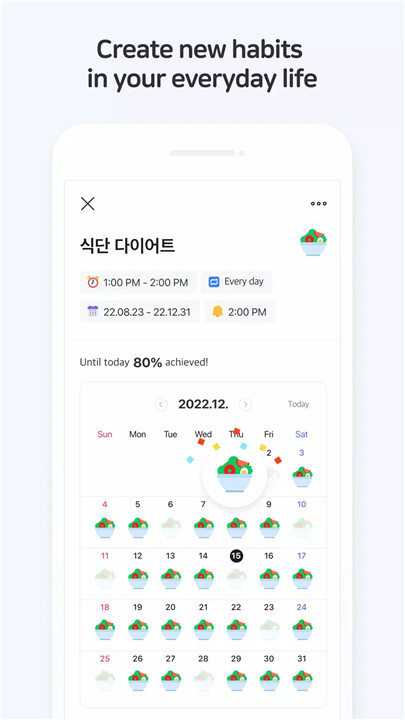
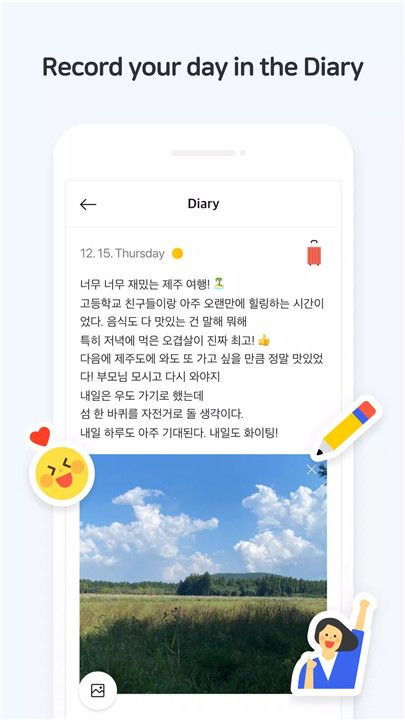
NAVER Calendar allows the management of daily routines, lunar calendar anniversaries, habits, and diary entries. Users can organize their life efficiently while recording thoughts and routines in one place.
Alerts & Notifications
Timely reminders and alerts help users track anniversaries and tasks without missing important dates. The app also handles lunar calendar anniversary notifications automatically.
Single-Touch Schedule Entry
Schedules, to-dos, and anniversaries can be registered easily by tapping or holding dates in Monthly, Weekly, or Dual views, making event creation fast and intuitive.
Flexible Calendar Views
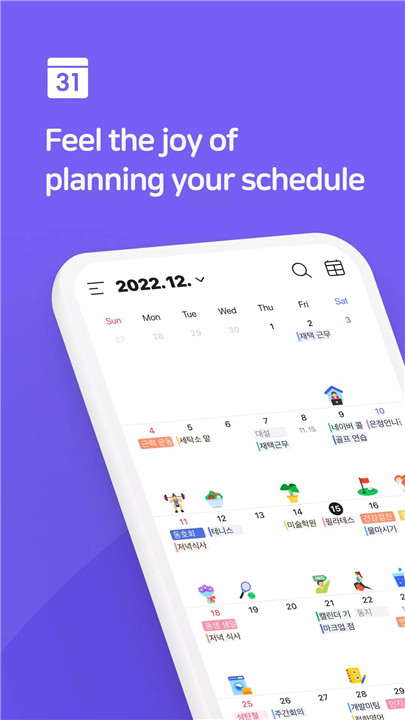
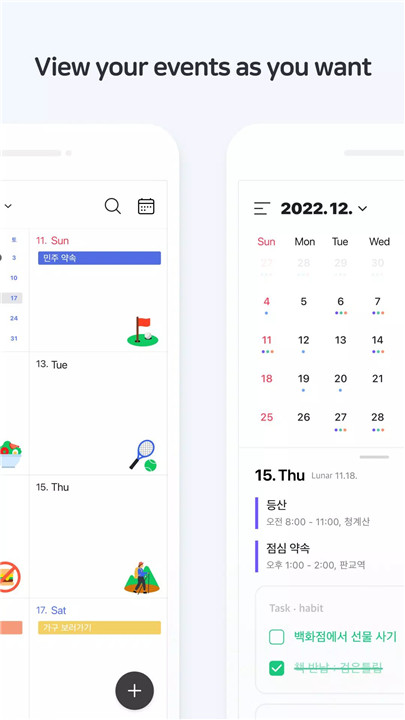
View schedules in monthly, weekly, list, or hourly time formats according to personal preference. Users can switch between views to plan their day, week, or month efficiently.
Shifting Calendar
Swipe gestures allow smooth navigation between months and detailed schedule views, making it easy to review past and future events quickly.
Stickers & Category Customization
Schedules and anniversaries can be categorized with different colors, and unique stickers can be added to create a personalized calendar experience.
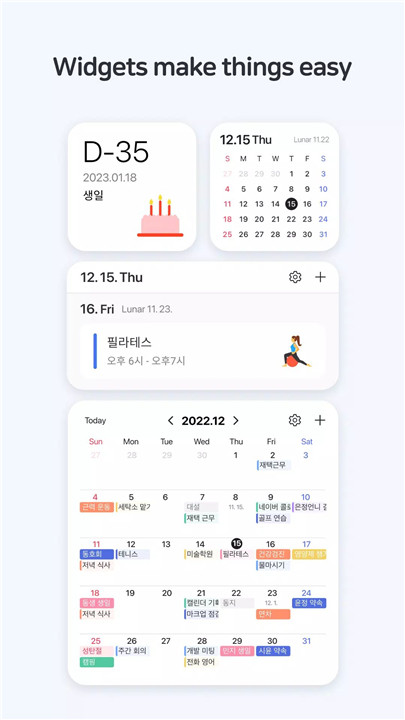
Widgets
Various widget types—including today, calendar, list, to-do, and D-Day—allow users to view upcoming events directly on their smartphone home screens.
Weather Information
Weekly weather forecasts and daily weather conditions are integrated into the calendar, providing context for planning outdoor activities.
Task & Time Management
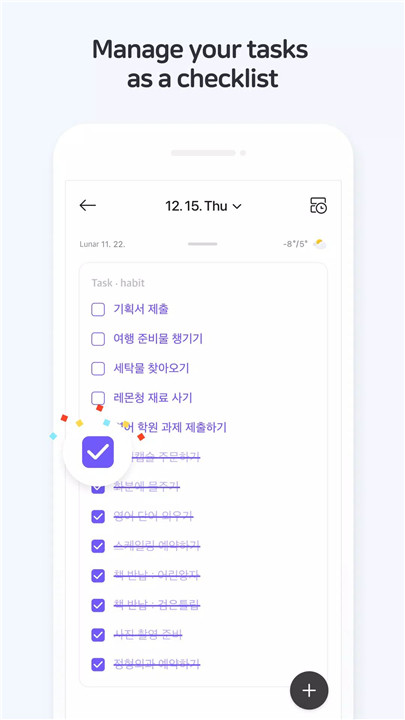
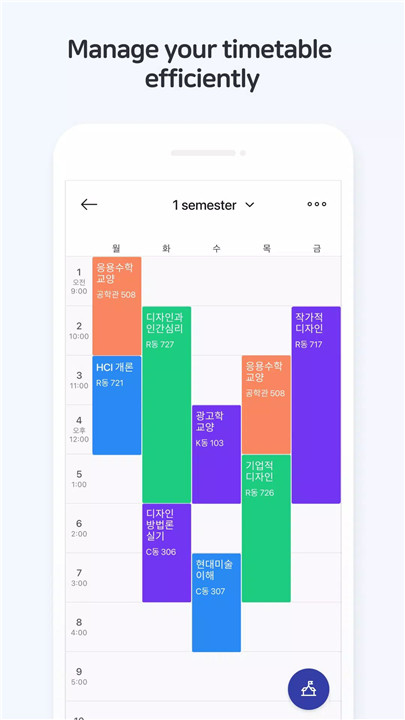
Tasks can be quickly added, grouped, and tracked by deadlines. Students and busy parents can benefit from the timetable feature, which allows an overview of all schedules at a glance.
Shared Calendar
Calendars can be shared with family, friends, or colleagues for collaborative scheduling, making it easier to coordinate events.
Easy Sync & Time Zone Support
NAVER Calendar can import schedules from the phone’s default calendar and supports multiple time zones for international scheduling.
Smartwatch Support
Compatible with Wear OS, NAVER Calendar lets users check schedules directly on their smartwatch, including Tiles and Complications for quick access.
Privacy & Permissions
NAVER Calendar uses access rights for calendar, location, address book, files, alarms, and microphone to provide complete features such as event reminders, weather information, and voice entry.
FAQs
Q1: How can I get help if I face problems using NAVER Calendar?
For any issues or inquiries, contact the NAVER Calendar Customer Service Center: https://m.help.naver.com/support/service/main.nhn?serviceNo=5620.
Q2: Can NAVER Calendar sync with my phone and PC calendars?
Yes, schedules from mobile app calendars can be easily synced with a PC for seamless planning.
Q3: Are there widgets available for quick schedule checks?
Yes, the app offers today, calendar, list, to-do, and D-Day widgets for immediate access to upcoming events.
Q4: Can NAVER Calendar handle lunar calendar anniversaries?
Absolutely. The app automatically tracks lunar calendar anniversaries and provides timely reminders.
Q5: Is NAVER Calendar compatible with smartwatches?
Yes, the app supports Wear OS, allowing schedules and notifications to be viewed conveniently on a smartwatch.
Version History
v4.4.6—5 Apr, 2024
[v4.4.6]
- Enhanced app stability
※ Calendar app v4.4.6 is available in Android OS 9.0 and after.
v4.4.4—25 Jan, 2024
[v4.4.4]
- Fixed an issue where a task would not be completed even when checked
- Enhanced app stability
※ Calendar app v4.4.4 is available in Android OS 9.0 and after.
v4.4.2—6 Jan, 2024
[v4.4.2]
- Fixed the error with Task deadlines and the notification-picker malfunction
- Other bug fixes
※ Calendar app v4.4.2 is available in Android OS 9.0 and after.
- AppSize65.31M
- System Requirements5.0 and up
- Is there a feeFree(In game purchase items)
- AppLanguage English
- Package Namecom.nhn.android.calendar
- MD5838d86875daf199f698f120e3b7af264
- PublisherNAVER Corp.
- Content RatingTeenDiverse Content Discretion Advised
- Privilege19
-
Naver Calendar 4.4.6Install
65.31M2026-03-25Updated
-
Naver 日历 4.4.6Install
65.31M2026-03-25Updated










8.6
2476 Human Evaluation
- 5 Star
- 4 Star
- 3 Star
- 2 Star
- 1 Star