
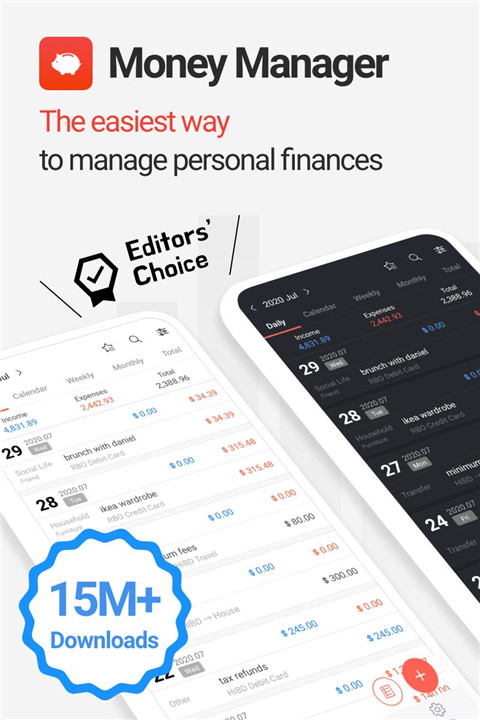
Money Manager simplifies budgeting, expense tracking, and asset management with powerful reports and security—download now and take control today! From recording income and expenses to reviewing detailed financial reports and managing assets, the app combines ease of use with professional-grade accounting features.
Double-Entry Bookkeeping System
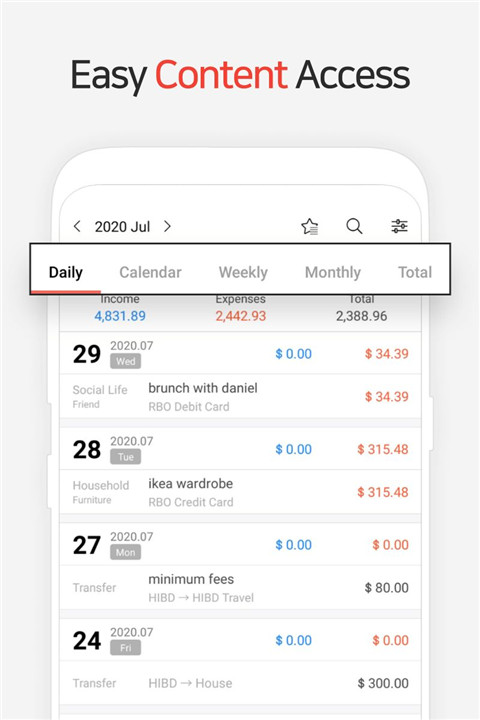
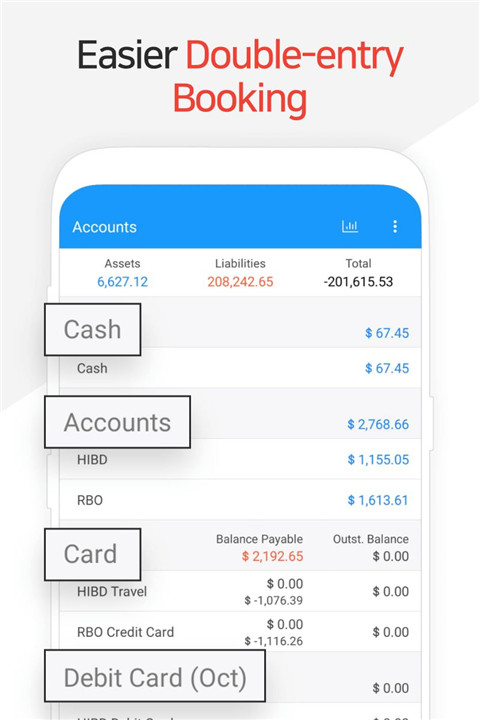
Money Manager applies a double-entry bookkeeping accounting system to ensure accurate and efficient asset management. Income entries are immediately deposited into the selected account, while expenses are deducted as soon as they are recorded. This method provides a clear and reliable financial picture at all times.
Budget and Expense Tracking
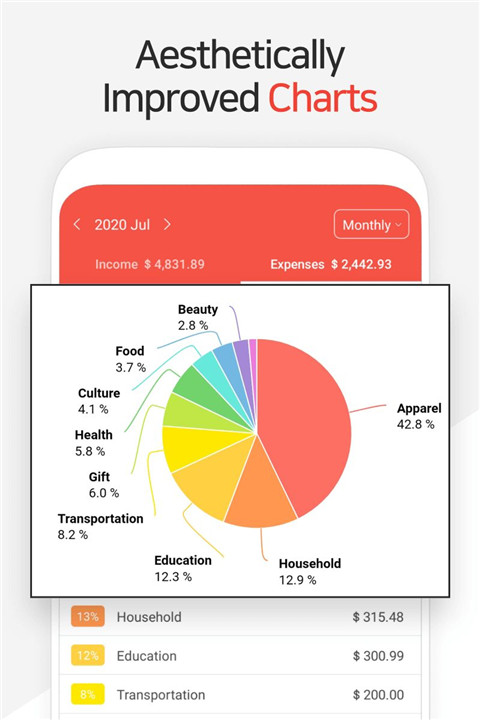
Budgets and expenses are displayed through intuitive graphs, allowing quick comparison between planned budgets and actual spending. Visual insights help identify patterns, control overspending, and make informed financial adjustments with ease.
Credit and Debit Card Management
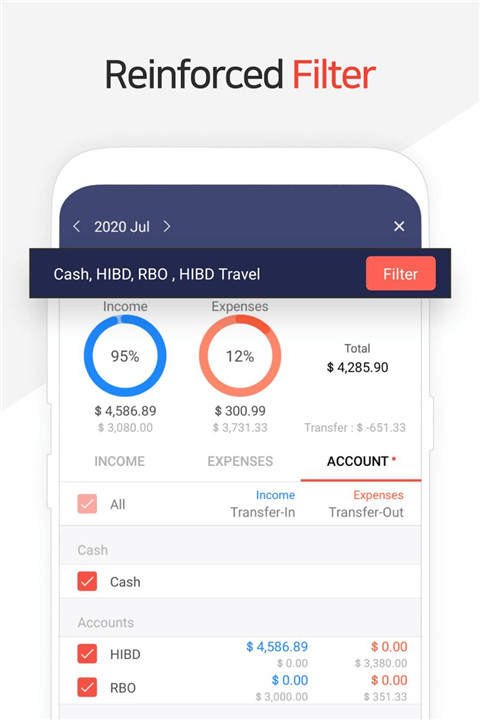
The app supports detailed credit and debit card tracking. By entering settlement dates, payment amounts and outstanding balances can be reviewed directly within the asset tab. Debit cards can be connected to accounts to support automatic deductions and streamlined management.
Secure Passcode Protection
A built-in passcode feature protects financial data and ensures privacy. This added layer of security allows safe management of sensitive financial records within the app.
Transfers, Direct Debits, and Recurring Transactions
Money Manager supports transfers between assets, improving both personal and business asset organization. Automatic transfers and recurring entries simplify the management of salaries, insurance payments, term deposits, and loans, reducing manual effort and errors.
Instant Statistics and Financial Reports
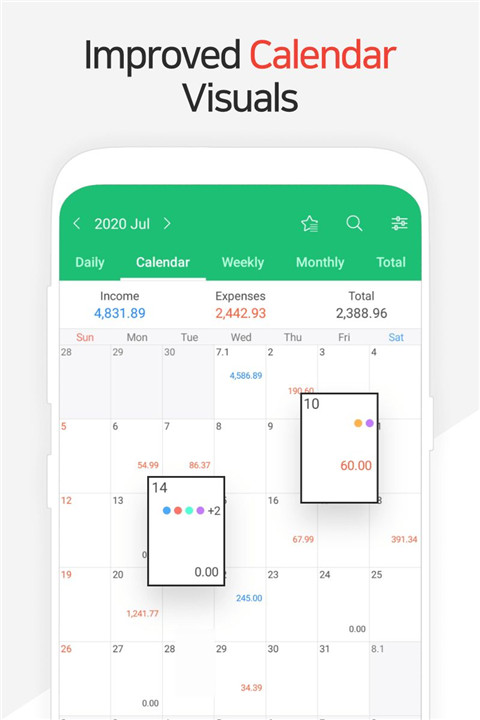
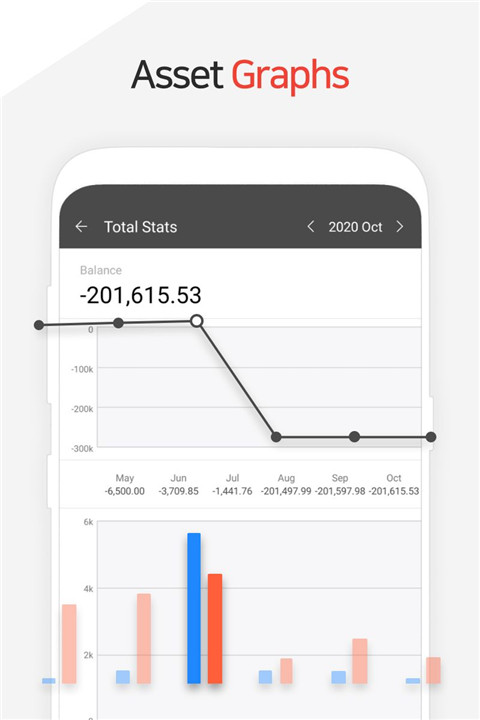
Real-time statistics provide instant insights into expenses by category and monthly changes. Graphs clearly illustrate income, expenses, and asset fluctuations, offering a comprehensive overview of financial health at a glance.
Bookmarking for Fast Entry
Frequently used expense entries can be bookmarked, allowing quick input with minimal effort. This feature saves time and improves consistency when tracking regular spending.
Backup and Restore Options
Financial data can be backed up and restored using Excel files, ensuring data safety and flexibility. This function also supports easy data transfer and long-term record keeping.
Additional Tools and Customization
Additional features include adjustable starting dates, a built-in calculator, and subcategory on/off controls. These tools enhance customization and usability to suit different financial tracking styles.
Paid Version Benefits
The paid version removes ads, unlocks unlimited asset accounts (free version limited to 15), and enables PC editing via Wi-Fi. On a PC, data can be edited, sorted, and reviewed with detailed graphs showing account fluctuations.
FAQs
1. What is Money Manager used for?
Money Manager is used for budgeting, expense tracking, financial review, and personal or business asset management.
2. Does Money Manager support professional accounting methods?
Yes, the app uses a double-entry bookkeeping accounting system for accurate financial tracking.
3. Can credit and debit cards be managed in the app?
Yes, credit and debit cards can be tracked with settlement dates, payment amounts, and outstanding balances.
4. Is financial data secure in Money Manager?
Yes, the app includes passcode protection to keep financial records secure.
5. What additional benefits come with the paid version?
The paid version removes ads, allows unlimited assets, and enables PC-based data editing and graph viewing via Wi-Fi.
Version History
v4.10.4 GF—9 Jan, 2026
4.10.x
When entering a transfer, it’s possible to swap between the “From” and “To” Accounts.
You can collapse/expand each Account Group on the Accounts tab.
When copying a transaction, it is possible to choose between “today’s date” or “date when entry was recorded".
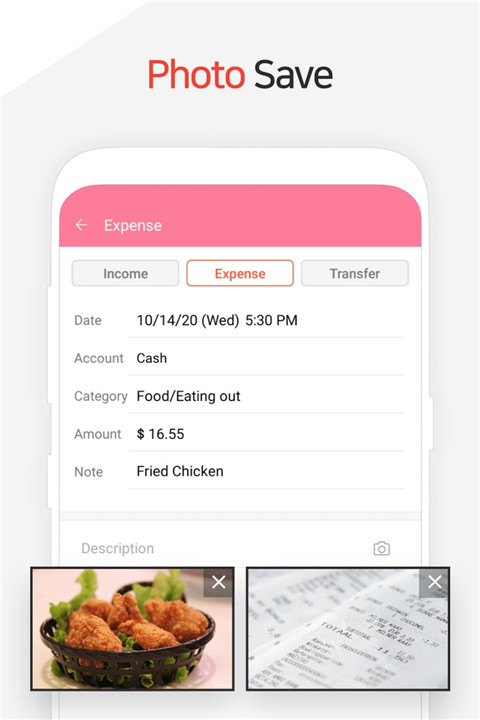
Multiple photos can be attached in one go.
v4.10.3 GF—5 Dec, 2025
4.10.x
When entering a transfer, it’s possible to swap between the “From” and “To” Accounts.
You can collapse/expand each Account Group on the Accounts tab.
When copying a transaction, it is possible to choose between “today’s date” or “date when entry was recorded".
Multiple photos can be attached in one go.
v4.10.2 GF—28 Aug, 2025
4.10.x
You can collapse/expand each Account Group on the Accounts tab.
When copying a transaction, it is possible to choose between “today’s date” or “date when entry was recorded".
Multiple photos can be attached in one go.
4.9.x
You can edit the exchange rate from the entry page.
The main currency and the sub-currency amounts are displayed together on the entry page.
The feature to update the latest exchange rate has been added.
- AppSize47.10M
- System Requirements5.0 and up
- Is there a feeFree(In game purchase items)
- AppLanguage English
- Package Namecom.realbyteapps.moneymanagerfree
- MD5
- PublisherRealbyte Inc.
- Content RatingTeenDiverse Content Discretion Advised
- Privilege19
-
Money Manager Expense & Budget 4.10.4 GFInstall
47.10M2026-03-14Updated










7.9
5320 Human Evaluation
- 5 Star
- 4 Star
- 3 Star
- 2 Star
- 1 Star