
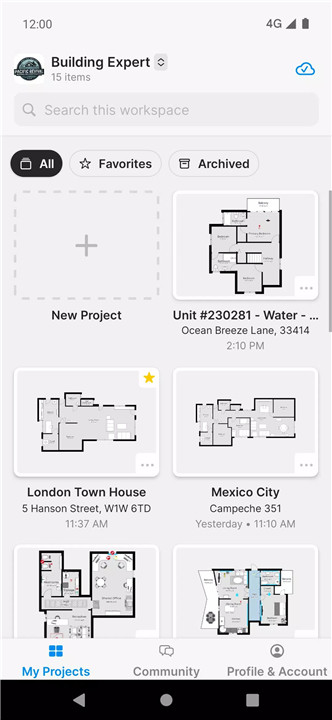
Magicplan is an advanced, all-in-one floor plan app designed to help professionals in remodeling, restoration, and claims capture crucial details quickly and accurately.
Real-Time Floor Plans
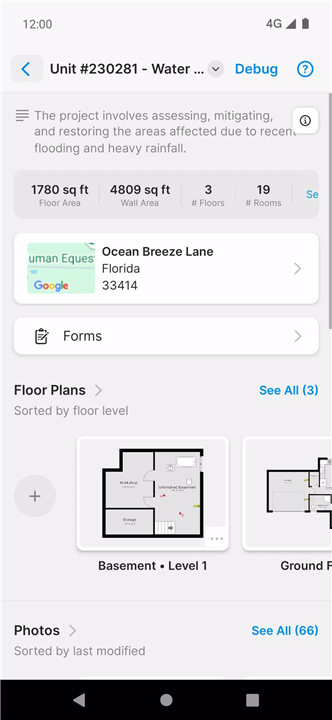
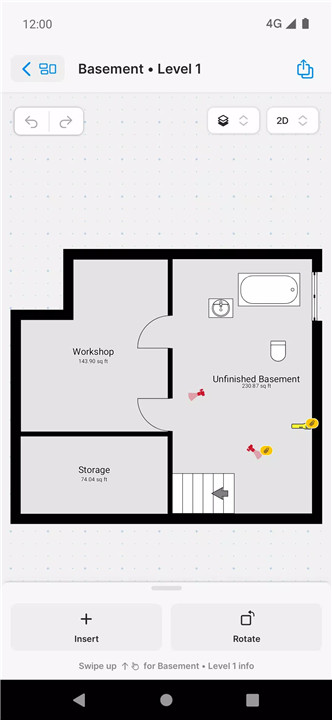
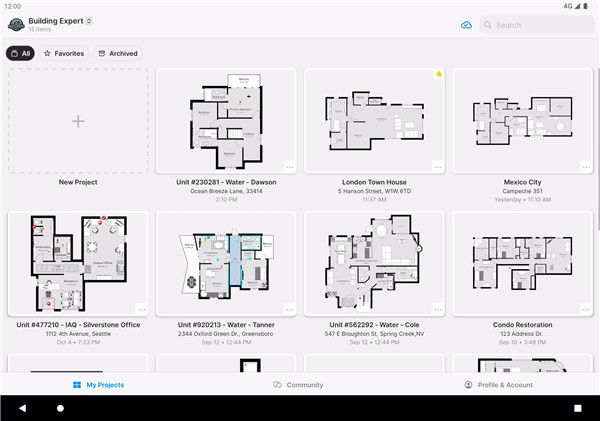
Magicplan makes floor plan creation simple and fast. The app lets you capture floor layouts instantly with precise measurements and detailed features.
Photos & Markup
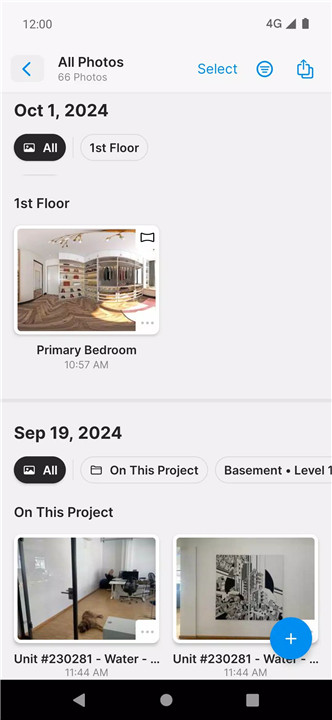
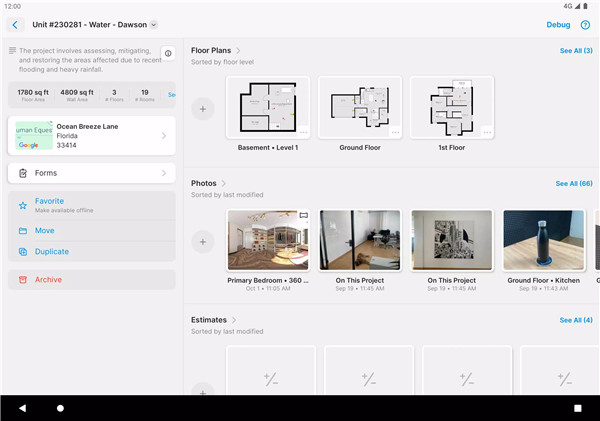
Photos play an essential role in documenting site conditions. Magicplan enables users to annotate photos directly within the app, making it easy to highlight important details or issues for future reference. These marked-up photos can be used in reports, providing additional context to help you plan your work.
360° Panoramas
Magicplan supports the creation of immersive 360° panoramas right from your mobile device—no additional hardware required. These panoramas can be embedded directly into your floor plans, creating a comprehensive and interactive view of the site. They provide an added layer of visualization that enhances your ability to understand the space in detail.
Seamless Integrations
Magicplan integrates directly with popular tools such as Xactimate® and CoreLogic, making it easier for you to transfer data and streamline your claims documentation process. The direct integration eliminates the need for ESX files, saving time and reducing complexity.
PrecisionLink for Accurate Measurements
Magicplan’s PrecisionLink feature allows you to connect over 20 different Bluetooth laser devices from trusted brands like Hilti, Bosch, DeWalt, Leica, and Stabila. This functionality ensures precise measurements while capturing data for floor plans. No more guessing—everything is measured and recorded with 100% accuracy.
Custom Objects & Object Catalog
Magicplan offers an extensive catalog of pre-defined objects that can be added to your floor plans. Whether you're designing a room layout or specifying items for a restoration project, you can choose from a wide range of objects or create your own in both 2D and 3D formats.
Instant Reports
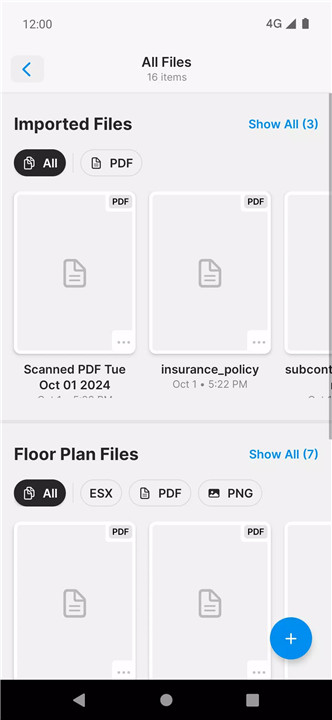
With magicplan, you can generate reports within seconds. The app allows you to turn all your collected data—photos, videos, measurements, and notes—into ready-to-share reports.
Customizable Field Options & SOPs
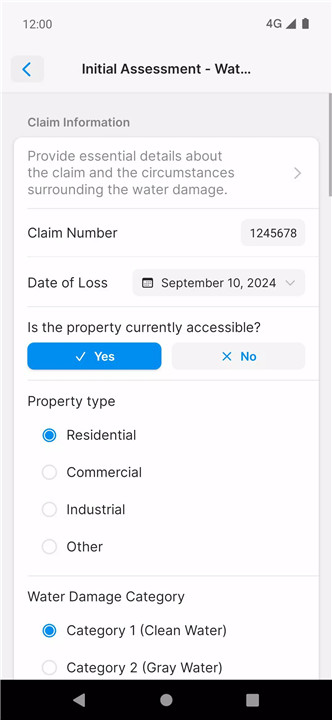
Magicplan provides customization options for data collection, allowing you to create fields with various attributes such as text, images, e-signatures, and more. You can also create Standard Operating Procedures (SOPs) to ensure that your team follows the same procedures across different jobs, ensuring compliance and consistency.
LiDAR Auto-Scan for Real-Time Sketches
Magicplan offers the ability to scan and create real-time floor plans using LiDAR technology. This feature simplifies the process of capturing entire spaces quickly and accurately, saving valuable time on the job.
Data Sharing and Cloud Storage
Magicplan keeps everyone in the loop with real-time data sharing. Upload your sketches, measurements, and reports to cloud storage and share them with your team and clients instantly, keeping all stakeholders informed and ensuring smooth collaboration.
FAQs
1. What laser devices are compatible with magicplan?
Magicplan is compatible with over 20 Bluetooth laser devices from brands like Hilti, Bosch, DeWalt, Leica, Stabila, and Würth. This includes popular models like the Leica Disto D810 and Bosch GLM 100 C.
2. Can I create 360° panoramas with magicplan?
Yes, magicplan allows users to capture 360° panoramas directly from their mobile devices without the need for extra hardware. These panoramas can then be integrated into floor plans for a comprehensive site view.
3. Is there a way to integrate magicplan with other software?
Yes, magicplan integrates directly with tools such as Xactimate® and CoreLogic, making it easy to transfer floor plan data and streamline claims processing without needing to use an ESX file.
4. Can I customize floor plans and objects in magicplan?
Magicplan offers a wide range of pre-defined objects, but you can also create your own custom objects in both 2D and 3D. Additionally, the app allows customization of field types to meet the specific needs of each project.
5. How fast can I generate reports using magicplan?
Magicplan enables instant report generation. Once your floor plans, photos, and measurements are ready, you can create a comprehensive report in seconds and share it with clients or team members immediately.
Version History
2024.14.0—15 Jul, 2024
Hey there, in this version, we focused on bug fixes and performance improvements.
We constantly want to improve magicplan. Please ask questions, give feedback, and share your ideas. We’re always happy to connect with members of our community!
v2024.12.0—29 Jun, 2024
Hey there, in this version, we focused on bug fixes and performance improvements.
We constantly want to improve magicplan. Please ask questions, give feedback, and share your ideas. We’re always happy to connect with members of our community!
v2024.11.0—15 Jun, 2024
Hey there, in this version, we focused on bug fixes and performance improvements.
We constantly want to improve magicplan. Please ask questions, give feedback, and share your ideas. We’re always happy to connect with members of our community!
- AppSize187.00M
- System Requirements5.0 and up
- Is there a feeFree(In game purchase items)
- AppLanguage English
- Package Namecom.sensopia.magicplan
- MD5
- PublisherSensopia Inc
- Content RatingTeenDiverse Content Discretion Advised
- Privilege19
-
magicplan 2024.14.0Install
187.00M2026-03-22Updated










9.3
2155 Human Evaluation
- 5 Star
- 4 Star
- 3 Star
- 2 Star
- 1 Star