
Eastland Car Service
Your Reliable Ground Transportation Partner
• Whether you booked your ride over the phone, through our website, or directly via your mobile device, the Eastland Car Service app gives you complete control over your transportation needs.
• Designed for convenience, flexibility, and reliability, our app allows you to manage every aspect of your journey right from your smartphone or tablet.
Seamless Booking Options
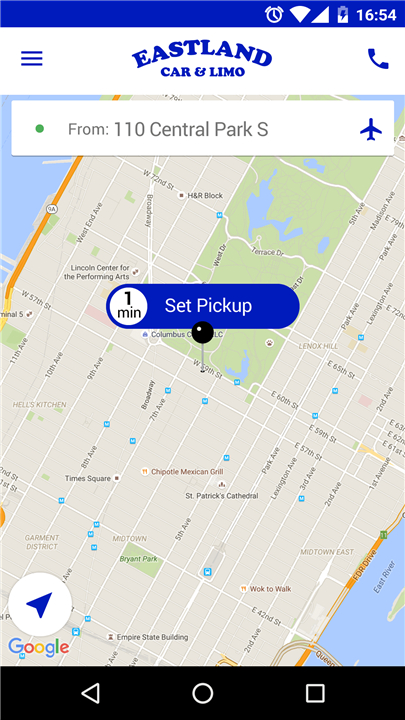
• Make quick reservations for immediate pick-up or plan your travel for a future date.
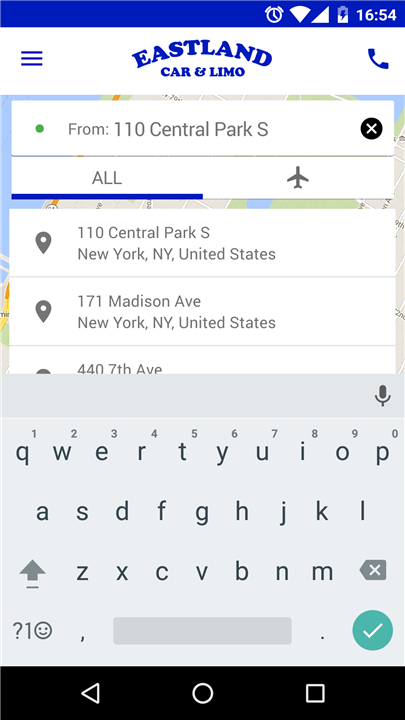
• Choose from GPS-based location detection, recently used addresses, or pre-set airport destinations for faster booking.
• Book rides for yourself, friends, family members, or business associates with ease.
Flexible Trip Management
• Modify your reservation details directly from the app without having to make a phone call.
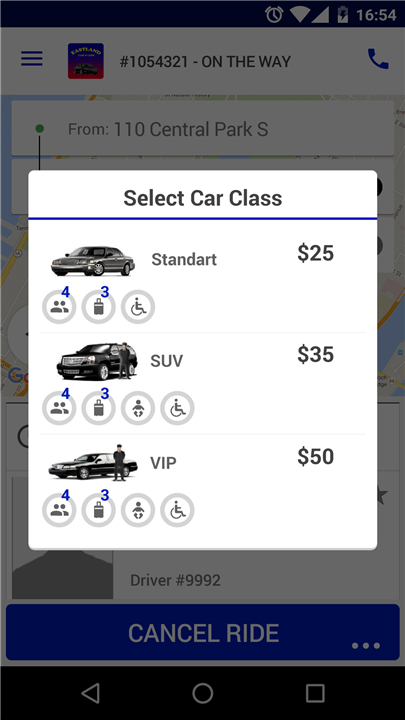
• Cancel rides effortlessly if your plans change.
• Add special instructions for your driver to ensure a smooth experience.
Real-Time Updates
• Receive instant notifications confirming your booking and any subsequent changes.
• Track your driver’s location on the map and view their estimated time of arrival (ETA).
• Stay informed about traffic conditions or possible delays.
Payment Options
• Manage both personal and corporate payment profiles in one place.
• Save preferred payment methods for faster checkout.
• Access receipts and trip history for easy expense reporting.
Why Choose Eastland Car Service?
• A user-friendly interface that saves you time.
• Reliable service with professional drivers.
• Airport transfers, point-to-point travel, and hourly bookings available.
• Designed for both individual travelers and corporate clients.
With the Eastland Car Service app, your ride is always just a few taps away.
Every feature has been created to make your transportation experience smoother, faster, and more dependable—whether you’re traveling across town or heading to the airport.
FAQ
Q: Can I make a reservation for a future date and time?
A: Absolutely. After opening the app, select “Schedule Ride” instead of “Book Now.” You’ll be able to choose the pick-up date, time, and location. Once scheduled, you’ll receive a confirmation notification and can modify or cancel the trip directly in the app up to a specified cut-off time before your pick-up.
Q: How do I change or cancel an existing booking?
A: If your plans change, simply go to the “My Trips” section in the app, locate the booking you wish to update, and select “Modify” or “Cancel.” You can adjust pick-up times, addresses, or add special instructions at any point before your driver is dispatched. Cancellation policies vary depending on timing, and any applicable fees will be clearly displayed before you confirm.
Q: How does GPS-based location detection work?
A: When you open the Eastland Car Service app, your device’s GPS will automatically suggest your current location as the pick-up point. If it isn’t quite accurate, you can drag the map pin to the precise spot or select from your recently used addresses. This feature helps you book faster by eliminating manual entry of full street addresses.
Version History
v11.001.2353——29 Dec 2025
Mobile App to book and manage Eastland Car Service reservations. Download the latest version of Eastland Car Service to enjoy new features and updates immediately!
*11.001.2353
Minor bug fixes and improvements. Install or update to the newest version to check it out!
*11.001.1104
Minor bug fixes and improvements. Install or update to the newest version to check it out!
*11.001.821
Minor bug fixes and improvements. Install or update to the newest version to check it out!
- AppSize49.50M
- System Requirements5.0 and up
- Is there a feeFree(In game purchase items)
- AppLanguage English
- Package Namecom.eastland.mobile.android
- MD5
- PublisherLimoSys Software
- Content RatingTeenDiverse Content Discretion Advised
- Privilege19



-
Eastland Car Service 11.001.2353Install
49.50M2026-02-13Updated










9.9
6606 Human Evaluation
- 5 Star
- 4 Star
- 3 Star
- 2 Star
- 1 Star